

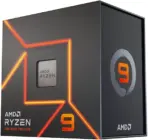
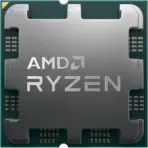
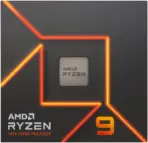
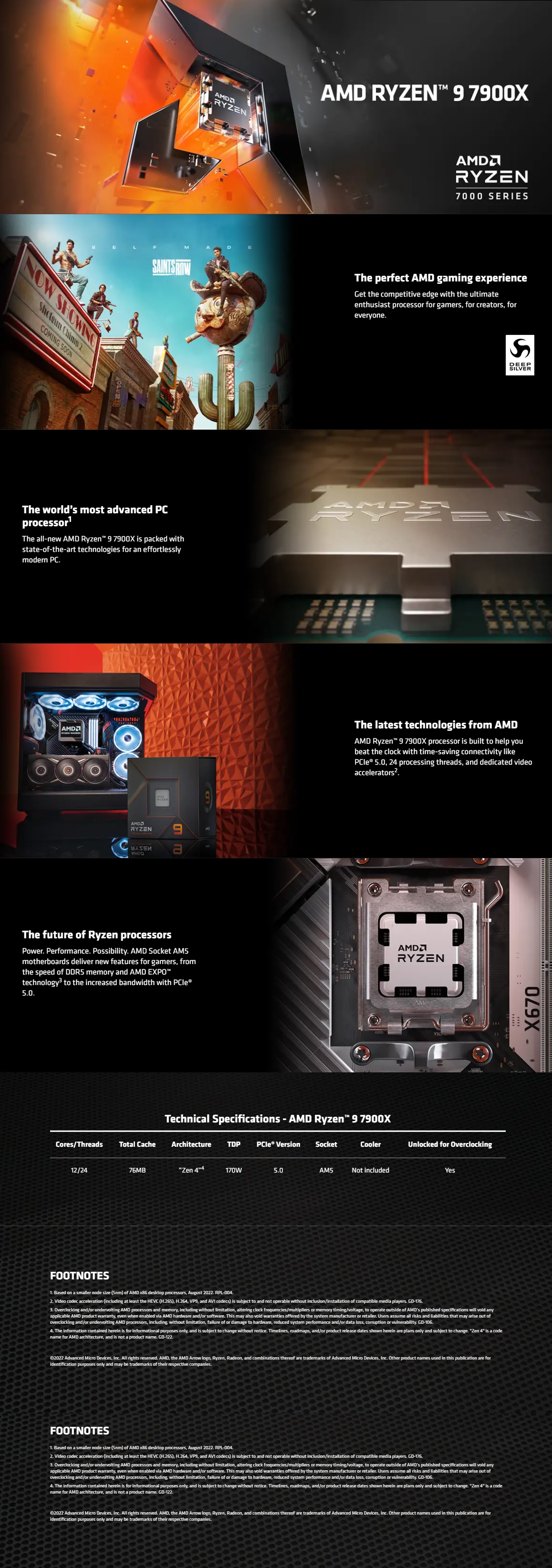

AMD Ryzen 9 7900X AM5 170W
AMD-RYZEN-7900X-TRAY
AMD RYZEN 9 7900X AM5 **TRAY**
AMD Ryzen 9 7900X Tray CPU, 12-Core 24-Thread, Up to 5.6GHz, Zen 4, AM5, DDR5, PCIe 5.0, 170W, Radeon Graphics, Unlocked | 1 YEAR WARRANTY
AMD Ryzen 9 7900X – 12-Core 4.7 GHz – Socket AM5 – 170W Desktop Processor (100-100000589WOF) | 1 YEAR WARRANTY (Copy)
Generate an AI Image
Layout
- Create an exact 2048 × 2048-pixel, perfect 1:1 square high-conversion e-commerce product-profile composition.
- Use only the supplied raw reference image of the AMD Ryzen 9 7900X processor.
- Make the CPU the dominant foreground hero, occupying approximately 58–65% of the complete canvas.
- Clearly separate the foreground processor, midground AM5 motherboard/socket environment, and background surreal Zen 4 computation environment.
- Keep the CPU, AMD logo, product title, icons, socket structures, and all artistic elements fully inside generous safe margins.
- Place the AMD logo at the top-left.
- Center “RYZEN 9 7900X” at the top using dimensional, extruded, ultra-readable typography.
- Never use cheap gaming-poster typography, stages, pedestals, banners, vertical layouts, or cropped previews.
Product Presentation
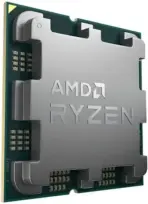
- Preserve the exact AMD Ryzen processor geometry, distinctive integrated heat-spreader shape, metallic finish, printed Ryzen branding, markings, substrate proportions, and contact-side relationship visible in the supplied reference.
- Render the processor using extreme high-resolution 3D realism, precise metallic reflections, microscopic edge definition, and physically realistic materials.
- Position it naturally directly above an artistic interpretation of its AM5 socket, suggesting the moment before installation without placing it on a pedestal.
- Do not invent pins, connectors, lighting, packaging, cooling hardware, or altered CPU markings.
Artistically Distinct and Detailed Background
- Create a surreal “Zen 4 Computational Forge”: the AM5 socket becomes the center of a futuristic gaming motherboard where twelve luminous computation paths branch outward, symbolizing the 12 CPU cores, while parallel data structures suggest 24 processing threads.
- Give the environment the emotional energy of a futuristic high-speed gaming command center rather than a generic technology advertisement.
- Because the CPU heat spreader is metallic silver, use a high-contrast premium palette instead of low-contrast white-on-silver.
- Use ryzen colors and aesthetics , use (red ,orange , metallic gold) highlights, with black and graphite strictly minimal.
- Use only two primary texture families: thick dichroic glass with internal luminous pathways and deep opalescent high-gloss sculptural surfaces.
- Apply refined global illumination, dielectric refraction, gemstone-like highlights, curved motherboard architecture, and controlled volumetric lighting.
- Keep the scene surreal, luxurious, minimalistic, aggressive, and completely subordinate to the processor.
- **** Always , the background should stay minimalistic and non-cluttered . **** Always the dominant color of the background should stay ” extreme high luster pearlescent white ” or extreme high luster oily fluid iridescent WHITE . ***** The product should be the largest most prominent element of the image .
- add an AMD themed villain interacting actively and factually interacting with the CPU .
Icons — Bullet Listed
- 12 Cores / 24 Threads — twelve-point hollow computational-core emblem.
- Up To 5.6GHz — aerodynamic frequency-gauge icon.
- Zen 4 — angular architectural chip badge.
- AM5 — socket-shaped hollow compatibility icon.
- DDR5 — dual-memory-channel crystalline badge.
- PCIe 5.0 — high-speed lane-shaped icon.
- Unlocked — broken-lock performance emblem.
- 76MB L2+L3 Cache — layered cache-ring badge.
- Radeon Graphics — freeform display-processing icon.
- 170W TDP — industrial thermal-energy badge.
- CRITICAL DIRECTIVE [STRICT] The Icons MUST Have different shapes depending on the specific content of the icon
- Keep every icon’s text LARGE, BOLD, condensed, extremely high-contrast, and fully enclosed inside the icon.
Output Requirements
- Final image must be exactly 2048 × 2048 pixels, perfect 1:1 square.
- Keep the processor significantly larger than all decorative structures.
- Align icons horizontally at the bottom with generous spacing and safe margins.
- Maintain extreme resolution and readability at website-thumbnail size.
- Add discreetly at the bottom: “Infographics Brought to you by the Expert Zone Team”
Constraints
- Do not alter the processor design or invent unsupported hardware features.
- Do not depict an included CPU cooler; no thermal solution is included.
- Do not confuse AM5 with older AMD sockets.
- Do not allow the metallic processor to blend into the surrounding environment.
- Avoid excessive black, graphite, matte materials, generic chrome, cheap plastic, visual clutter, or plain empty white space.
- Never make the image resemble a premium advertising poster; it must remain a clean website product-profile image.
- Before rendering ask: “How does this image fare as a product-profile image?” Automatically correct clipping, incorrect CPU geometry, misleading socket details, weak hierarchy, unreadable typography, clutter, poor contrast, and poor thumbnail visibility.