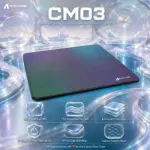
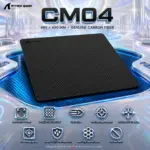



CM04-BLACK-MEDIUM
ATTACK SHARK MOUSEPAD CM04 360*280mm 2mm BLACK
Attack Shark CM04 Genuine Carbon Fiber Gaming Mousepad – Medium 360 × 280 × 2mm, Speed-Control Surface, PixArt-Optimized Tracking, Water/Oil/Dust Repellent, Anti-Slip Base
GENERATE AN AI IMAGE with dominantly white pearlescent , high-luster oily background
- Layout
- Create an exact 2048 × 2048-pixel, 1:1 square website product-profile composition with generous safe margins.
- Clearly separate the foreground mousepad, midground refined gaming desk, and background surreal carbon-fiber tracking world.
- Make the CM04 Medium mousepad the dominant visual element, occupying approximately 58–66% of the canvas width.
- Keep the product, logo, title, subtitle, icons, edge detail, and footer fully inside the canvas.
- Do not create a poster, banner, stage, pedestal, podium, or cinematic advertisement.
- Product Presentation
- Use only the exact official Attack Shark CM04 Medium reference.
- Preserve the authentic black genuine carbon-fiber surface, rectangular proportions, ultra-thin 2mm profile, and rubber underside.
- Show one extremely sharp shallow three-quarter product view resting naturally on a gaming desk.
- Reveal only a subtle authentic edge thickness; do not bend, curl, fold, or warp the pad.
- Place the official Attack Shark logo at the top-left.
- Use the exact title: CM04
- Use the exact subtitle: MEDIUM • 360 × 280 × 2 MM • GENUINE CARBON FIBER
- Make the title dominant and the subtitle smaller, razor-sharp, and fully readable.
- Product-Function Theme Lock
- Category: carbon-fiber esports gaming mousepad.
- Main function: fast glide, precise stopping, stable tracking, and secure desk grip.
- Build the scene around speed-control balance, near-uniform X/Y tracking, anti-slip stability, and sensor accuracy.
- Use one unified concept the me : The Iridescent Carbon Tracking Vault.
- Artistically Distinct and Detailed Background
- The entire environment must scream Expert Zone signature: extreme iridescence, extreme pearlescence, oily transparent high-luster, and polished caustic reflections.
- Do not reuse the same generic mousepad background formula from recent designs.
- Use 55–60% pearlescent opaline-white and conch-pearl, 25–30% deep petrol-blue and cyan, and 10–15% iridescent graphite-violet oily caustics.
- Because the product itself is dark, create a strong deep-cyan / petrol-blue contrast zone directly behind and beneath the mousepad for razor-sharp separation.
- Build polished glide lanes, iridescent carbon-like reliefs, liquid-prism contours, and luminous precision rings.
- Keep the product more important than the scenery at all times.
- Icons — Bullet Listed
- 360 × 280 × 2 MM
- Genuine Carbon Fiber
- Fast Glide
- Precise Stops
- Uniform X/Y Tracking
- PixArt Optimized
- Water / Oil / Dust Repellent
- Anti-Slip Rubber Base
- Do Not Bend
- CRITICAL DIRECTIVE [STRICT] The Icons MUST Have different shapes depending on the specific content of the icon
- Output Requirements
- Exact 2048 × 2048 pixels.
- Extreme high-resolution 3D rendering throughout.
- Fully readable logo, title, subtitle, icon typography, and footer.
- Add one discreet footer: Infographics Made with ❤️ by the Expert Zone Team.
- Constraints
- Do not alter the mousepad.
- Do not invent unsupported features, RGB, electronics, or compatibility claims beyond PixArt optimization.
- Do not make the pad glossy like plastic; it should remain carbon-fiber, not toy-like.
- Do not let the title, subtitle, or background overpower the product.
- Never make it look like a premium ad poster.
- Final Quality-Control Inspection
- Ask: “How does this image fare as a product-profile image?”
- Reject any result where the background lacks visible iridescence, pearlescence, oily high-luster, and polished caustic energy, or where the pad looks bent, too small, too matte, too generic, or visually swallowed by the artwork.