


EN49651
XIGMATEK CASE MOON DGT SUPER TOWER/4*120MMARGB PWM FAN/DIGITAL LCD SCREEN/CURVED TEMP GLAS
Xigmatek Moon DGT EN49651 E-ATX Gaming Case, Curved Dual Tempered Glass, Digital LCD, 4× J22A PWM ARGB Fans, 420mm GPU, 360mm AIO | BLACK
Generate an AI Image
- Layout
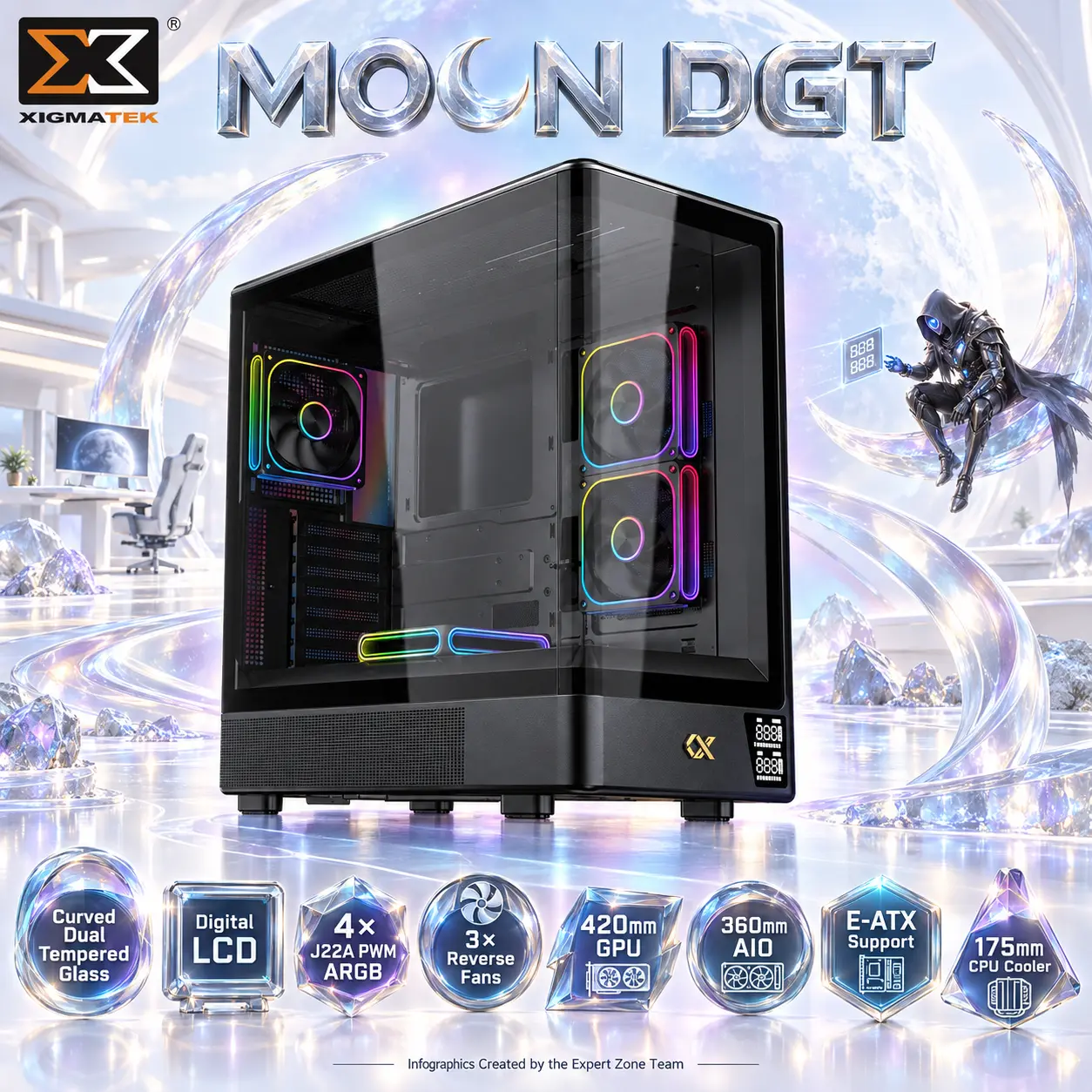
- Create an exact 2048 × 2048, perfect 1:1 square website product-profile composition for the Xigmatek Moon DGT EN49651.
- Make the complete black chassis the largest and most dominant element, occupying approximately 68–72% of the useful canvas.
- Show it from a dramatic front-side three-quarter angle that emphasizes the curved tempered glass, second glass panel, Digital LCD, three reverse-blade showcase fans, rear fan, and long GPU chamber.
- Foreground: complete Moon DGT chassis.
- Midground: restrained crescent-shaped airflow structures wrapping around—not blocking—the glass.
- Background: a surreal pearlescent lunar-tide gaming garden.
- Arrange icons forming a loose constellation across the lower edge.
- Product Presentation
- Use the official Moon DGT EN49651 imagery as the strict physical reference.
- Preserve the exact curved-glass geometry, black chassis, Digital LCD placement, fan count, fan positions, ventilation, feet, and proportions.
- Place the Xigmatek logo at top-left.
- Center “MOON DGT” at the top using deeply extruded moonstone-silver 3D typography.
- Use a localized pale moon-blue / violet metallic aura only directly behind the black chassis for razor-sharp edge separation.
- Artistically Distinct and Detailed Background
- Tell a completely new gaming story: the chassis sits naturally beside a surreal gamer’s workstation inside an immaculate white lunar-tide garden, where curved architecture mirrors the case’s glass profile.
- In the far background, place an original dark celestial gaming villain seated casually on a suspended translucent crescent, leaning forward and extending one armored hand toward the Moon DGT’s Digital LCD as though inspecting the machine’s telemetry.
- Contrast the threatening character and black chassis against an overwhelmingly extreme high-luster pearlescent-white world.
- Use exactly two texture families: gemstone chatoyancy and deep transparent iridescent oily-fluid glass.
- Add pale moonstone, champagne silver, icy cyan, and controlled lavender reflections.
- Keep the environment extremely minimal with huge negative space—no dark sky, graphite fog, ordinary RGB room, battlefield, observatory, throne, or recycled case scenery.
- Gaming hardware aesthetic Icons
- CRITICAL DIRECTIVE [STRICT] The Icons MUST Have different shapes depending on the specific content of the icon
- Curved Dual Tempered Glass
- Digital LCD
- 4× J22A PWM ARGB
- 3× Reverse Fans
- 420mm GPU
- 360mm AIO
- E-ATX Support
- 175mm CPU Cooler
- Each icon is a DIFFERENT 3D Freeform badge The style is futuristic, industrial, and high-tech.
- Use realistic rendering with ray-traced reflections and lens flares.
- The icons must include specific technical text.
- Sharp typography, volumetric lighting, 8k resolution, cinematic composition.
- Lighting: “Chiaroscuro” (high contrast between white background and bright icons) and “anamorphic lens flares.”.
- Text to occupy maximum area of each icon, enhance readability and clarity of text.
- Text should be of maximum contrasting colors with respect to the badge, text is incorporated inside the icon
- Output Requirements
- Exact 2048 × 2048 pixels, perfect 1:1 square.
- Keep product, title, logo, icons, villain, and all background elements fully inside safe margins.
- Add discreetly at bottom: “Infographics Created by the Expert Zone Team”.
- Constraints
- Use exactly 3 reverse J22A PWM ARGB fans + 1 standard J22A PWM ARGB fan.
- Do not invent USB-C, rear-connector motherboard support, vertical GPU mounting, additional included fans, or unsupported LCD specifications.
- Never turn the Digital LCD into a large monitor or alter its physical location.
- No pedestal, stage, graphite smog, excessive matte material, cheap gaming typography, or conventional premium-ad-poster styling.
- Before rendering ask “How does this image fare as a product-profile image?” and automatically correct curved-glass accuracy, fan count/orientation, LCD placement, scale, icon readability, and product/background separation.