


A4TECH-G3330NS
A4Tech G3-330NS 2.4G Silent Click Wireless Mouse-BLK
A4Tech G3-330NS Black Silent-Click Wireless Mouse, 2.4GHz, 1200 DPI Optical Sensor, 125Hz Report Rate, 10–15m Range, Long Battery Life, Nano USB Receiver, Windows 10/11
Generate an AI Image
Layout
- Create an exact 2048 × 2048-pixel, perfect 1:1 square website product-profile composition for the black A4Tech G3-330NS silent-click wireless mouse.
- Place the official A4Tech logo at the top-left, accurately proportioned and completely contained inside generous safe margins.
- Center “G3-330NS Silent-Click Wireless Mouse” at the top using refined, moderately sized, three-dimensional extruded typography.
- Build the title from smoked crystal, dark titanium, and restrained icy-cyan accents so it remains clearly visible against the pale environment.
- Clearly separate the foreground, midground, and background while keeping the mouse, receiver, logo, title, icons, and desk elements fully inside the canvas.
- Do not create a poster, banner, vertical layout, wide layout, cropped preview, or cheap gaming-poster typography.
Product Presentation
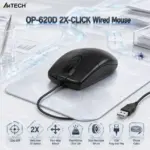
- Use the official black G3-330NS product image from the supplied A4Tech page as the strict visual reference.
- Preserve the exact black contoured shell, symmetrical shape, left and right buttons, central scroll wheel, three-button layout, proportions, and A4Tech branding.
- Present one mouse large and ultra-sharp in the midground at a subtle three-quarter angle on a realistic light colored holographic office mouse pad.
- Show the compact nano USB receiver nearby at accurate scale, visually communicating receiver-based 2.4GHz connectivity.
- Suggest silent clicking through delicate fading sound waves rather than cartoon effects.
- Do not invent Bluetooth, RGB lighting, rechargeable hardware, side buttons, adjustable DPI controls, charging cables, or gaming features.
- Do not place the product on a stage or pedestal.
Artistically Distinct and Detailed Background
- Create a surreal post-sale office-desk environment expressing silent concentration, wireless freedom, and long battery endurance.
- Use mandatory dominant pearlescent opaline-white with subtle opaline-silver, icy blue, and controlled graphite accents.
- Form soft wireless pathways flowing between the nano receiver and mouse, surrounded by gently layered productivity documents and abstract interface contours.
- Use no more than two texture families:
- Conch-pearl micro-swirled surfaces
- Molded dichroic-glass wireless signal structures
- Apply refined global illumination, controlled caustic reflections, gentle dielectric refractions, and soft volumetric light.
- Reserve matte materials strictly for minor contrast around the black mouse and mouse pad.
Icons — Numbered and Listed
- Align large, readable icons horizontally along the bottom.
- CRITICAL DIRECTIVE [STRICT] The Icons MUST Have different shapes depending on the specific content of the icon
- 1. Silent Click
- 2. 2.4GHz Wireless
- 3. 1200 DPI
- 4. 10–15m Range
- 5. Up to 12 Months
- 6. Nano USB Receiver
- 7. Auto Power Saving
- Give every icon a unique hollow extruded crystal form, bold condensed typography, dimensional shadows, and restrained high-tech illumination.