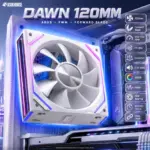
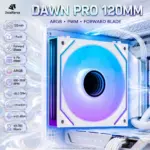



DAWN-PRO-REVERSEBLK1
ASIAHORSE DAWN PRO ARGB 120mm FAN (1 PACK) REVERSE BLACK
ASIAHORSE DAWN PRO ARGB 120mm Case Fan, 1-Pack Reverse Blade, 4-Pin PWM, 800–2000 RPM, 68.5 CFM, 2.05mmH2O, 6–30 dB(A), Hydraulic Bearing | BLACK
Generate an AI Image
- Layout
- Create a clean website product-profile composition with an exact 2048 × 2048 square layout.
- Clearly separate the foreground fan, midground PC-case interior, and background surreal airflow environment.
- Make the ASIAHORSE DAWN PRO ARGB 120mm fan the hero, occupying about 52–60% of the canvas width.
- Place the ASIAHORSE logo at the top-left inside safe margins.
- Center the product name “DAWN PRO 120MM” at the top in sharp 3D extruded typography.
- Add a smaller subtitle beneath it: “ARGB • PWM • FORWARD BLADE”.
- Keep the fan, logo, title, icons, and all design elements fully inside the canvas.
- Do not create a poster, banner, vertical layout, wide layout, stage, pedestal, or cropped preview.
- DONT use cheap gaming-poster typography.
- Product Presentation
- Always use the provided product as the only product reference.
- Show one Black ASIAHORSE DAWN PRO fan only, representing the 1-pack forward-blade version.
- Preserve the authentic frame, blade layout, mounting corners, hub details, ARGB lighting look, connector area, and physical proportions.
- Present the fan naturally installed inside a refined gaming-PC case environment, not floating on a stage or podium.
- Emphasize extreme high-resolution 3D rendering, very crisp peripheral outlines, and strong material separation.
- Do not invent extra fans, reverse blades, controllers, screens, or unsupported accessories.
- The fan should be large enough to be the hero of the image
- Artistically Distinct and Detailed Background
- Background Story
- Create a surreal airflow-forge chamber where the fan sits in its natural post-sale habitat inside a gaming PC, driving luminous air streams through the case and pulling heat away from the system.
- Add subtle futuristic gaming energy with abstract airflow ribbons, glowing thermal currents, and a refined PC-performance atmosphere.
- Background Color Palette
- Use a MANDATORY dominant extreme high-luster pearlescent white base with a subtle secondary fluid oily transparent iridescent silver-metallic tone.
- Add restrained cyan and soft violet highlights to support the ARGB mood while keeping the black fan clearly separated from the background.
- Absolutely avoid graphite smog, muddy gray fog, or dirty dark haze.
- Background Texture
- Use a maximum of two texture styles:
- Deep opalescent conch-pearl textures
- Light-colored liquid iridescent chrome
- Keep the environment surreal, minimalistic, luxurious, and product-friendly.
- Use a maximum of two texture styles:
- Background Story
- Icons — Bullet Listed
- CRITICAL DIRECTIVE [STRICT] The Icons MUST Have different shapes depending on the specific content of the icon
- 120mm
- 1 Pack
- Forward Blade
- 4-Pin PWM
- 800–2000 RPM
- 68.5 CFM
- 2.05mmH2O
- 6–30 dB(A)
- ARGB
- Oil Bearing
- 40,000 Hours
- Align all icons vertically to the side .
- Make every icon a different large, sharp, futuristic 3D freeform design with the text fully inside.
- Add this footer disclaimer in super-small discrete text: “Infographics Created by the Expert Zone Team”
- Output Requirements
- Exact final image size: 2048 × 2048 pixels
- Perfect 1:1 square ratio
- High resolution throughout
- Keep all elements fully inside the canvas with safe margins
- Do not provide a cropped preview
- Constraints
- Do not alter the fan design, black color, or forward-blade identity.
- Do not invent unsupported specs or features.
- Do not place the product on a stage or pedestal.
- Do not allow the product or title to blend into the background.
- Avoid tackiness, clutter, flat white emptiness, cheap plastic, generic chrome, and excessive matte surfaces.
- Keep the color palette dominantly white with rich high-luster iridescent textures.
- NEVER make it look like a premium ad poster.
- Before finalizing, brutally evaluate: “How does this image fare as a product-profile image?” and automatically fix all flaws.