

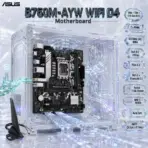
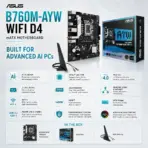
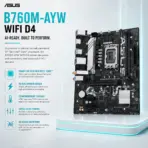
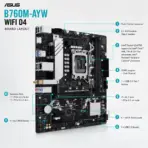
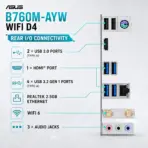
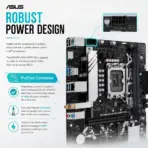



B760M-AYW-WIFI-DDR4
ASUS B760M-AYW WIFI DDR4 MOTHERBOARD
ASUS B760M-AYW WIFI D4 Micro-ATX Motherboard, LGA 1700, 2 x DIMMs DDR4 5333Mhz (OC), PCIe 4.0, Dual M.2 64Gbps, WiFi 6, Bluetooth 5.2, 2.5Gb Ethernet, HDMI 2.1, 14th / 13th / 12th Gen
B760M B760M B760M B760M
Generate an AI Image
Layout
- Create an exact 2048 × 2048-pixel, perfect 1:1 square website product-profile composition for the ASUS B760M-AYW WIFI D4.
- Place the official ASUS logo at the top-left and center “B760M-AYW WIFI D4 Motherboard” at the top.
- Form the title from deeply extruded smoked graphite crystal, dark titanium edges and restrained icy-cyan electrical illumination, ensuring sharp separation from the pale environment.
- Clearly divide the foreground, midground and background, keeping the motherboard, logo, title, icons and environment completely inside generous safe margins.
Product Presentation
- Use the supplied raw motherboard & WiFi antenna image as the strict visual reference.
- Preserve the exact dark PCB shape, silver heatsinks, LGA 1700 socket, two DDR4 slots, PCIe slots, two M.2 positions, four SATA ports, rear I/O, capacitors, power connectors, headers, markings and ASUS branding.
- Mount one complete motherboard & WiFi antenna naturally inside an open micro-ATX chassis during a meticulous first-build moment.
- Keep the board fully exposed; do not install a CPU cooler, graphics card, RAM or SSD that would cover its important components.
- Do not place the motherboard on a stage, pedestal or floating retail platform.
Artistically Distinct and Detailed Background
- Create “The Opaline Computation Conservatory”, a surreal post-sale PC-building chamber where the mounted motherboard grows an entire digital ecosystem from its real circuitry.
- Extend genuine PCB traces outward into softly curled conch-pearl roots that weave through the chassis walls, suggesting stable power distribution without altering the physical board.
- Above the empty LGA 1700 socket, suspend a restrained transparent computational halo made from fourteen, thirteen and twelve nested glass rings, symbolising processor-generation compatibility without depicting a specific CPU.
- Transform the two real M.2 positions into parallel rivers of compressed crystalline data racing toward distant storage archives.
- Build one grounded emerald-glass pathway from the Ethernet port into a miniature 2.5Gb data-city, while pale-cyan WiFi arcs rise toward an abstract wireless constellation.
- Let the Addressable Gen 2 and Aura headers release controlled ribbons of spectral light around the chassis edges—never add onboard RGB lighting that the product does not possess.
- Use a dominant deep rich extremely lustrous pearlescent opaline-white, subtle opaline-silver, glacial cyan and tiny ultraviolet accents.
- textures: thick transparent pixilated dichroic glass .
- Apply refined global illumination, intense caustic reflections, dielectric refractions and soft volumetric light. Keep matte material strictly minimal.
Icons — Bullet Listed
- 14th / 13th / 12th Gen Intel
- 2 x DIMM,
- 5333Mhz (OC) DDR4
- Dual M.2 — 64Gbps
- PCIe 4.0
- WiFi 6 + Bluetooth 5.2
- Realtek 2.5Gb Ethernet
- HDMI 2.1 — 4K 60Hz
- Aura Sync
- mATX (24.4cm x 21.1cm)
- Create each icon as a completely different freeform hollow 3D crystal object, with bold condensed wording fully enclosed and clearly readable.
- Align the icons vertically along the right side without blocking the motherboard.
- CRITICAL DIRECTIVE [STRICT] The Icons MUST Have different shapes depending on the specific content of the icon
Output Requirements
- Render exactly 2048 × 2048 pixels with a perfect square 1:1 proportion.
- Keep every element fully inside the canvas with strong thumbnail readability and extreme product sharpness.
- Produce a clean website product-profile image, not a banner, vertical layout, wide composition, cropped preview or advertising poster.
Constraints
- Do not alter the motherboard layout or invent extra ports, slots, heatsinks, RGB zones, antennas, cables or accessories.
- Avoid flat white emptiness, generic chrome, cheap plastic, excessive matte material, tacky ornament and crowded scenery.
- Brutally evaluate: “How does this image fare as a product-profile image?” Correct every visible flaw before producing the output.
- Follow the supplied Expert Zone structure and image-generation restrictions.