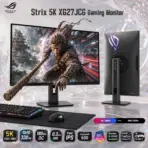
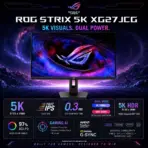
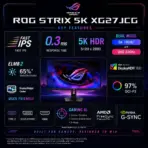



ASUS ROG Strix 5K XG27JCG 27-Inch Fast IPS Gaming Monitor, 5K 180Hz OC or QHD 330Hz Dual Mode, 0.3ms GtG, DisplayHDR 600, G-SYNC Compatible, FreeSync Premium Pro, 4-Way Adjustable Stand 

788 $

BRAND-NEW SEALED ~ 6 MONTHS WARRANTY

Expert Features

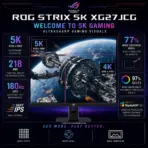
  • 5K Detail Beast : The 27-inch Fast IPS panel delivers a razor-sharp 5120 × 2880 resolution, 218ppi density, and 77% more onscreen space than a same-size 4K monitor—perfect for cinematic gaming, content creation, and multitasking without pixel soup.
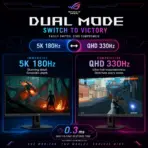
  • Dual-Mode Performance : Switch between immersive 5K at up to 180Hz OC and competitive QHD at up to 330Hz, so you do not have to choose between maximum clarity and maximum speed.
  • 0.3ms Fast IPS Response : The 0.3ms GtG response time keeps motion sharp during flick shots, racing sequences, and fast camera movement in either display mode.
  • Serious GPU Compatibility Note : Reaching 5K at 180Hz requires compatible graphics hardware, drivers, and connection bandwidth; ASUS specifically warns that unsupported or older GPUs may run the monitor at lower refresh rates.
  • DisplayHDR 600 Impact : VESA DisplayHDR 600 certification, 600-nit HDR peak brightness, and a 1500:1 contrast ratio give highlights more punch and dark environments stronger depth.
  • Wide-Gamut 10-Bit Color : Coverage of 97% DCI-P3, 1.0737 billion colors, 10-bit color depth, and factory-rated Delta E below 2 make this monitor capable enough for gaming, media creation, and color-sensitive work.
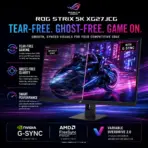
  • Tear-Free Variable Refresh : AMD FreeSync Premium Pro and NVIDIA G-SYNC Compatible support synchronize monitor refresh with GPU frame output for smoother gameplay and less tearing.
  • ELMB 2 Motion Clarity : The dual-backlight, ten-zone ELMB 2 system reduces persistence blur and ghosting, while ELMB Sync can operate alongside variable refresh rate—proper competitive sharpness, ya zalameh.
  • Gaming AI Toolkit : Dynamic Crosshair automatically maintains reticle visibility, Dynamic Shadow Boost reveals dark areas without blowing out bright sections, and AI Visual adjusts display settings according to onscreen content.
  • Full-Bandwidth Connectivity : Two HDMI 2.1 FRL ports, DisplayPort 1.4 with DSC, and USB-C with DisplayPort Alt Mode support modern PCs, consoles, laptops, and high-resolution sources.
  • USB-C With Honest Expectations : USB-C supports video and 15W Power Delivery, making it useful for signal transmission and light device charging—but it is not a high-wattage laptop-docking power source.
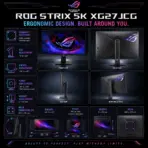
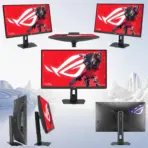
  • Complete Ergonomic Stand : Height, tilt, swivel, and ±90° pivot adjustment let you position the display correctly, while the 100 × 100mm VESA pattern supports compatible monitor arms and wall mounts.

Expert Specs

Specification Value
Product Name ASUS ROG Strix 5K XG27JCG
Display Size 27 inches
Aspect Ratio 16:9
Panel Type Fast IPS
Native Resolution 5120 × 2880, 5K
Pixel Density 218ppi
Dual Mode 5K at up to 180Hz OC or QHD 2560 × 1440 at up to 330Hz
Maximum Native Refresh Rate 180Hz
Response Time 0.3ms GtG
Display Viewing Area 595.968 × 335.232mm
Display Surface Anti-glare
Pixel Pitch 0.116mm
Typical Brightness 350cd/m²
HDR Peak Brightness 600cd/m²
HDR Certification VESA DisplayHDR 600
Typical Contrast Ratio 1500:1
Viewing Angles 178° horizontal / 178° vertical
DCI-P3 Coverage 97%
Color Accuracy Delta E below 2
Display Colors 1.0737 billion
Color Depth 10-bit
Flicker-Free Yes
Low Blue Light Certification TÜV Low Blue Light hardware solution
Variable Refresh Technology AMD FreeSync Premium Pro and NVIDIA G-SYNC Compatible
Adaptive-Sync Certification VESA AdaptiveSync Display 180Hz
Extreme Low Motion Blur ELMB 2
ELMB Sync Supported
Variable Overdrive Variable Overdrive 2.0
GameFast Input Technology Supported
GamePlus Supported
GameVisual Supported
Shadow Boost Supported
AI Visual Supported
Dynamic Crosshair Supported
Dynamic Shadow Boost Supported
Aspect Control Supported
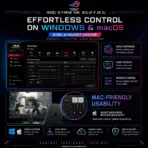
Display Management ASUS DisplayWidget Center for Windows and macOS
Color Calibration Report Available through DisplayWidget Center
DisplayPort 1 × DisplayPort 1.4 with DSC
HDMI 2 × HDMI 2.1 with FRL
USB-C 1 × USB-C with DisplayPort Alt Mode
USB-C Power Delivery 15W
USB Hub 3 × USB 3.2 Gen 1 Type-A
USB Signal Connection 1 × USB 3.0 signal port
Headphone Output Yes
Integrated Speakers No
HDMI Signal Frequency 27–255kHz horizontal / 48–180Hz vertical
DisplayPort Signal Frequency 510kHz horizontal / 48–180Hz vertical
Power Consumption Below 40W
Power-Saving Mode Below 0.5W
Power-Off Mode Below 0.3W
Input Voltage 100–240V, 50/60Hz
Tilt Adjustment +20° to -5°
Swivel Adjustment +40° to -40°
Pivot Adjustment +90° to -90°
Height Adjustment 0–110mm
VESA Mounting 100 × 100mm
Tripod Socket 1/4-inch tripod socket
Rear Lighting Aura Sync
Kensington Lock Yes
Dimensions With Stand 61.4 × 51.0 × 21.9cm / 24.17 × 20.08 × 8.62 inches
Dimensions Without Stand 61.4 × 36.7 × 9.0cm / 24.17 × 14.45 × 3.54 inches
Box Dimensions 71.0 × 21.5 × 46.0cm / 27.95 × 8.46 × 18.11 inches
Net Weight With Stand 6.9kg / 15.21lb
Net Weight Without Stand 4.8kg / 10.58lb
Gross Weight 9.3kg / 20.50lb
Included Accessories DisplayPort cable, power cord, quick-start guide, ROG pouch, ROG sticker, ROG tripod stand, and warranty card; bundle may vary by region
Certifications TÜV Flicker-Free, TÜV Low Blue Light, VESA AdaptiveSync Display 180Hz, VESA DisplayHDR 600, AMD FreeSync Premium Pro, and G-SYNC Compatible

**Warranty Disclaimer — Warranty Has Different Personalities**
Expert Zone receives products from different trusted sources, and each source may provide a different warranty timeline. That’s why warranty coverage can vary from item to item. This has nothing to do with authenticity — no fake mustaches here. We are always transparent about originality, condition, warranty, and any product notes before you buy.
Dead Pixel Policy: All our monitors are manufactured under strict quality standards. Due to the nature of modern display technologies —a small number of inactive or bright pixels may occasionally occur. Warranty coverage applies only if three (3) or more dead pixels are present. Fewer than three are considered within normal production tolerances.

Features & Compatibility

5K Monitor

XG27JCG

ASUS ROG STRIX 5K XG27JCG MONITOR 27″180Hz (OC)0.3ms FAST IPS-BLK

ASUS ROG Strix 5K XG27JCG 27-Inch Fast IPS Gaming Monitor, 5K 180Hz OC or QHD 330Hz Dual Mode, 0.3ms GtG, DisplayHDR 600, G-SYNC Compatible, FreeSync Premium Pro, 4-Way Adjustable Stand


https://rog.asus.com/us/monitors/27-to-31-5-inches/rog-strix-5k-xg27jcg/

——-

Generate an AI Image

  • Layout
    • Create an exact 2048 × 2048-pixel, perfect 1:1 square website product-profile composition for the ASUS ROG Strix 5K XG27JCG.
    • Clearly separate the foreground, midground, and background, keeping the complete monitor, stand, logo, title, ports, icons, and scenery fully inside generous safe margins.
    • Place the official ROG logo at the top-left.
    • Center “Strix 5K XG27JCG Gaming Monitor” at the top using refined, moderately sized, three-dimensional extruded typography.
    • Construct the title from dark graphite crystal, black titanium contours, and restrained crimson-cyan illumination that strongly contrasts with the pale environment.
    • Do not create a poster, banner, vertical layout, wide layout, or cropped preview.
    • DONT use cheap gaming poster typography.
  • Product Presentation
    • Use the supplied raw monitor image as the strict visual reference.
    • Preserve the exact 27-inch panel proportions, slim bezels, rear housing, ROG details, Aura lighting area, ergonomic stand, base geometry, tripod socket, controls, and visible connectors.
    • Place one complete monitor naturally on a real high-end gaming desk in the midground, never on a stage or pedestal.
    • Display an original split-world scene expressing Dual Mode: one side reveals an ultra-detailed cinematic 5K landscape, while the other transforms into a rapid QHD esports training environment with crisp motion trails.
    • Do not copy any protected game screenshot, character, map, logo, or interface.
    • Do not invent speakers, additional ports, higher USB-C charging, or unsupported accessories.
    • The attached imaged features the monitor in two versions , feature both versions . Version 1 : the monitor in a scenery vertical position , the screen facing the front  .  Version 2 : the monitor in portrait horizontal position   , the screen facing the back .  the screen area in Version 1 is displacing the attached image “hq720 (1)” . The key artistic effect is a powerful, physical anamorphic illusion where the display area acts as a window portal. A three-dimensional model of [the character with the stick ] must appear to be physically extruding and emerging from the surface of the laptop screen, breaching and flowing into the surrounding space as a volumetric, detailed structure. the [the character with the stick ] should look like it’s caught in the middle of the action of ” half the way exiting the screen” in FORCED anamorphic illusion
  • Artistically Distinct and Detailed Background
    • Mandatory Story concept ; The artistic environment of Black Myth: Wukong is a dark fantasy reimagining of Chinese mythology, blending classical aesthetics with photorealistic rendering. It features mist-shrouded landscapes, intricately carved ancient temples, and mythical creatures grounded in gritty realism, all brought to life using cutting-edge design technology.
    • Create a surreal resolution-versus-velocity portal story where the monitor acts as a gateway between microscopic 5K detail and explosive 330Hz competitive speed.
    • Use a mandatory dominant pearlescent opaline-white environment with subtle oily-transparent iridescence, icy-cyan refractions, and restrained ROG-red energy streaks.
    • Use only two texture families: conch-pearl micro-swirled surfaces and thick dichroic-glass forms with internal liquid-crystal illumination.
    • Add curled sculptural reliefs, layered optical waves, controlled caustic reflections, dielectric refractions, and refined global illumination.
    • Place darker opalescent contours behind the monitor to prevent its black housing from blending into the environment.
    • Use matte materials strictly minimally for definition.
  • Icons — Bullet Listed
    • Give every icon a unique design defined by the content of that specific icon.
    • CRITICAL DIRECTIVE [STRICT] The Icons MUST Have different shapes depending on the specific content of the icon
    • The typography of every icon should stay  LARGE , BOLD, and ultra-readable , especially as  the complete image is reduced to website-thumbnail size.
    • Align the icons horizontally along the bottom within two or one rows :
      • 5K 5120 × 2880
      • QHD 330Hz
      • 180Hz OC
      • 0.3ms GtG
      • Fast IPS
      • DisplayHDR 600
      • 97% DCI-P3
      • G-SYNC Compatible
      • FreeSync Premium Pro
      • ELMB 2
  • Output Requirements
    • Produce exactly 2048 × 2048 pixels with a perfect 1:1 square ratio.
    • Use extreme-resolution, product-accurate 3D rendering.
    • Keep every element fully inside the canvas and safe margins.
  • Constraints
    • Do not alter the monitor design or invent unsupported features.
    • Do not allow the monitor or title to blend into the background.
    • Avoid flat white emptiness, generic chrome, cheap plastic, excessive matte surfaces, and visual clutter.
    • Do not place the monitor on a stage or pedestal.
    • NEVER make it look like a premium ad poster.
    • Before finalizing, ask: “How does this image fare as a product-profile image?” Identify every imperfection and automatically correct it.


5K Monitor 5K Monitor 5K Monitor 5K Monitor 5K Monitor 5K Monitor 5K Monitor 5K Monitor 5K Monitor  5K Monitor  5K Monitor  5K Monitor  5K Monitor  5K Monitor