


C68GJUA#ABA
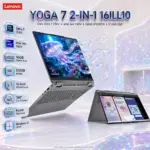
HP 15-FD0230WM I3-N305 8GB DDR4/256GB/15.6″/TOUCHSCRN-WIN11
HP Laptop 15-fd0230wm : Intel® Core i3-N305 | 8GB DDR4 RAM ; 256GB NVMe | 15.6-inch FHD IPS Touch Display | UHD Graphics | Windows 11 | Cozy Cashmere
(C68GJUA)
HP Laptop 15-fd0230wm (C68GJUA) 15.6-Inch FHD Notebook – Core i3-N305, 8GB DDR4, 256GB NVMe SSD, Wi-Fi 6, Windows 11 Home, Cozy Cashmere, Numeric Keypad; HD Camera & Privacy Shutter
Generate an AI Image
Layout
- Create an exact 2048 × 2048-pixel, 1:1 square e-commerce product-profile composition with generous safe margins.
- Separate the foreground laptop, midground study desk, and background surreal productivity environment.
- Keep the laptop, HP logo, title, subtitle, extrusion, icons, and footer fully inside the canvas.
- Never create a banner, cropped preview, stage, pedestal, or generic advertising poster.
Product Presentation
- Use only the official reference of the HP Laptop 15-fd0230wm, C68GJUA.
- Preserve the authentic Cozy Cashmere chassis, matte cover, textured base, screen proportions, jet-black full-size keyboard, numeric keypad, HP Imagepad, ports, and physical construction.
- Show one dominant three-quarter open-laptop view resting naturally on a refined home-study desk.
- Place the HP logo at the top-left.
- Centre the extruded title “LAPTOP 15-FD0230WM” at the top.
- Add “TouchScreen • 8GB • 256GB SSD” beneath it.
Artistically Distinct and Detailed Background
- Create a mystery-and-sci-fi concept themed “The Opaline Knowledge Atelier.”
- Use 55% pearlescent opaline-white, 20% conch-pearl, 15% translucent petrol-blue glass, and 10% pale violet and coral-gold caustics.
- Place a controlled petrol-blue glass halo behind the Cozy Cashmere laptop for razor-sharp separation.
- Use only conch-pearl microfibres and thick dichroic-glass circuitry as primary textures.
- Show a natural post-sale environment involving study, documents, video calls, scheduling, and cloud-file organization.
- add the “touchscreen” symbol on the display of the monitor .
Forced-Anamorphic Display Extrusion
- Turn the laptop screen into a clearly defined physical portal.
- Inside the display, show a luminous digital study room containing organized documents, calendar panels, cloud files, and communication windows.
- Extrude one broad faceted knowledge pavilion comprising a square central book-core, two short accordion-shaped page wings, and four compact document tiles.
- Keep the rear 60% inside the display and extend only the front 40% over the keyboard area.
- Clip one page wing visibly at the screen edge to prove the inside-to-outside transition.
- Add bezel refraction, realistic shadows across the keyboard, and a restrained glow reflected on the Imagepad.
- Never create hands, limbs, characters emerging from the display, tubes, capsules, rockets, or elongated rounded objects.
Icons — Bullet Listed
- i3-N305 intel
- 8GB DDR4
- 256GB NVMe SSD
- 15.6-Inch Touch
- Windows 11 Home
- Use different BADGE 3D freeforms with Extra-large, bold typography.
- CRITICAL DIRECTIVE [STRICT] The Icons MUST Have different shapes depending on the specific content of the icon
- Position icons neatly in available negative spaces without covering the laptop.
Output Requirements
- Output exactly 2048 × 2048 pixels.
- Add “Infographics Created by the Expert Zone Team” in a discreet footer.
Constraints
- Do not invent touchscreen support, keyboard backlighting, USB-C charging, USB-C display output, dedicated graphics, or unsupported accessories.
- Ask: “How does this image fare as a product-profile image?” Automatically correct every product, extrusion, contrast, and readability flaw.