

.jpg)
.jpg)
.jpg)
.jpg)
.jpg)
.jpg)
.jpg)

META-899-00583-01
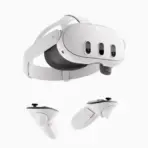
META QUEST 3 512GB ALL IN ONE VR HEADSET 3DAYS WARRANTY ONLY
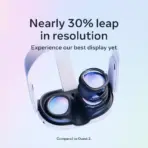
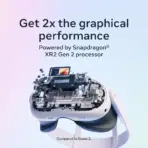
Meta Quest 3 512GB VR/MR Headset, 4K+ Infinite Display, Snapdragon XR2 Gen 2, 8GB RAM, 120Hz, Pancake Lenses, Wi‑Fi 6E & Touch Plus Controllers | 3 DAYS WARRANTY ONLY
Generate an AI Image
Layout
- Create an exact 2048 × 2048, perfect 1:1 square website product-profile composition for the Meta Quest 3 512GB.
- Foreground: make the complete white Quest 3 headset the overwhelmingly dominant hero, occupying approximately 64–68% of the useful canvas, shown in an extreme-detail three-quarter angle.
- Show the full headset clearly, and place the Touch Plus controllers naturally beside it while keeping the headset clearly larger.
- Midground: show a luminous mixed-reality transition zone spreading from the headset into a sleek gaming desk surface.
- Background: preserve generous negative space and a wildly artistic but strictly chic-minimal gaming environment.
- Arrange icons vertically along the right side.
Product Presentation
- Always use the supplied official Meta Quest 3 product image as the strict physical reference.
- Preserve the exact white shell, front sensor layout, strap geometry, facial interface, controller design, and overall proportions.
- Do not transform the product into Quest 3S, Quest Pro, or a generic sci-fi headset.
- Place the Meta logo at the top-left.
- Center “QUEST 3 4K 512GB” at the top using bold, extruded 3D typography with strong contrast.
- Because the headset is light-colored, add a localized cobalt-violet aura and controlled shadow only behind the product so the silhouette stays razor-sharp and never blends into the background.
Artistically Distinct and Detailed Background
- Build a surreal gaming-oriented visual story called “Mixed Reality Breach Chamber.”
- The headset should feel like it naturally belongs on a futuristic gamer desk where reality is being peeled open by mixed-reality energy.
- Create a concrete bright-world / dark-spirit direction: the world remains overwhelmingly luminous and premium, while one restrained dark armored gaming villain / action-figure-like antagonist appears in the left-rear background, lightly interacting with the environment and reacting to the MR breach.
- Keep the villain clearly secondary and much smaller than the product.
- Since Quest 3 does not have an exterior display, do not invent a front screen on the headset.
- Instead, create the portal effect through the inner optical space / lens cavity, as if a volumetric cyber-creature or crystalline game entity is caught halfway emerging from the virtual space into reality.
- Use a dominant extreme high-luster pearlescent white environment with subtle secondary tones of oily iridescent silver, icy cyan, spectral violet, and restrained blue.
- Use no more than two texture families: opalescent conch-pearl sculptural surfaces and fluid transparent high-luster iridescent oil.
- Keep the background minimalistic, surreal, and non-déjà-vu.
- Absolutely avoid graphite smog, dark fog, black walls, clutter, cheap chrome, plain white emptiness, and excessive matte surfaces.
Icons — Bullet Listed
- 512GB
- 4K+ DISPLAY
- XR2 GEN 2
- 8GB RAM
- 120HZ
- PANCAKE LENS
- COLOR MR
- WI‑FI 6E
- TOUCH PLUS
- PC VR READY
- Render every icon as a different hollow 3D esports-style freeform insignia with large, bold, condensed, ultra-readable typography fully integrated inside each icon.
- CRITICAL DIRECTIVE [STRICT] The Icons MUST Have different shapes conveying the specific content of the icon
Output Requirements
- Final image must be exactly 2048 × 2048 pixels.
- Keep the headset, controllers, title, logo, icons, character, and all effects fully inside safe margins.
- Add one super-small discreet line at the bottom: “Infographics Made with ❤️ by the Expert Zone Team”
Constraints
- Do not alter the product design.
- Do not invent eye tracking, face tracking, an exterior display, transparent visor, or unsupported sensors.
- Do not imply that a gaming PC is required, because Quest 3 is a standalone headset.
- Do not make the scene look like a premium ad poster.
- Keep the product as the largest and most prominent element.
- Before producing the image, ask: “How does this image fare as a product-profile image?” Then automatically fix all flaws before output.