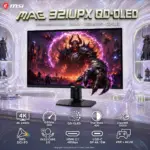


MSI MAG 274QPF E20 27-Inch WQHD Rapid IPS Gaming Monitor – 200Hz, 0.5ms GtG, DisplayHDR 400, FreeSync Premium, USB-C, HDMI 2.0b, DP 1.4a, AI Vision, 95% DCI-P3, 4-Way Adjustable Stand 

177 $

BRAND-NEW SEALED ~ 6 MONTHS WARRANTY

EXPERT FEATURES

  • 27-Inch WQHD Rapid IPS Panel : Packs 2560 × 1440 resolution into a fast 27-inch Rapid IPS display, delivering sharp targets, detailed environments, and wide 178° viewing angles.
  • 200Hz Competitive Refresh Rate : Pumps out up to 200 frames per second through DisplayPort, giving fast-moving shooters and racing games seriously smooth motion.
  • 0.5ms GtG Minimum Response : Cuts visible blur during aggressive camera movement, rapid flick shots, and chaotic close-range battles.
  • AMD FreeSync Premium : Synchronises the monitor’s refresh rate with a compatible graphics card to reduce screen tearing and disruptive stuttering.
  • VESA DisplayHDR 400 : Improves highlight intensity and shadow detail, so dark corners stop becoming free camping spots for the enemy.
  • Wide Colour Coverage : Displays 1.07 billion colours through 8-bit + FRC processing, with 124% sRGB and 95% DCI-P3 coverage under the CIE 1976 standard.
  • AI Vision : Automatically strengthens dark-area detail while optimising brightness and colour, making enemies easier to identify without nuking the full image.
  • AI Crosshair : Automatically changes the crosshair colour when it overlaps the background, helping the aiming point remain visible during hectic gameplay.
  • PC, Laptop And Console Connectivity : Connect through DisplayPort 1.4a, dual HDMI 2.0b inputs, or USB Type-C DisplayPort Alternative Mode.
  • USB-C Video And 15W Charging : Handles compatible USB-C video input at up to 1920 × 1080 while supplying up to 15W power delivery to supported devices.
  • HDMI CEC Profile Sync : Detects compatible connected-device settings and helps coordinate display profiles across multiple HDMI devices.
  • Four-Way Ergonomic Stand : Adjust height, tilt, swivel, or rotate the screen through a full −90° to 90° pivot range—portrait grinders are officially covered.
  • Non-Glare Narrow-Bezel Design : Reduces distracting reflections while keeping the display border slim for a cleaner gaming setup.
  • Less Blue Light Technology : Uses a TÜV Rheinland-certified software solution to reduce blue-violet light emissions during extended gaming sessions.
  • VESA And Kensington Support : Includes 100 × 100mm VESA mounting compatibility and a Kensington lock slot for flexible, secure installation.

EXPERT SPECS

Specification Details
Brand MSI
Model / Manufacturer Number MAG 274QPF E20
Product Condition New
Product Type Flat Gaming Monitor
Screen Size 27 Inches
Panel Technology Rapid IPS
Backlight LED
Screen Surface Non-Glare
Bezel Design Narrow Bezel
Curvature Flat; No Curvature
Native Resolution 2560 × 1440 WQHD / QHD
Aspect Ratio 16:9
Maximum Refresh Rate 200Hz
Response Time 0.5ms GtG Minimum
Adaptive-Sync AMD FreeSync Premium
HDR Certification VESA DisplayHDR 400
Brightness 300cd/m²
Static Contrast Ratio 1000:1
Dynamic Contrast Ratio 100,000,000:1
Display Colours 1.07 Billion
Colour Depth 8-Bit + FRC
sRGB Coverage 124%
DCI-P3 Coverage 95%
Colour-Gamut Standard CIE 1976
Viewing Angles 178° Horizontal / 178° Vertical
Pixel Pitch 0.2331mm
AI Vision Enhances dark-area details and optimises brightness and colour
AI Crosshair Automatically changes crosshair colour for improved visibility
HDMI CEC Profile Sync Detects compatible connected-device settings
Less Blue Light TÜV Rheinland-Certified Software Solution
DisplayPort 1 × DisplayPort 1.4a
DisplayPort Maximum Signal 2560 × 1440 At Up To 200Hz
HDMI 2 × HDMI 2.0b
HDMI Maximum Signal 2560 × 1440 At Up To 144Hz
USB Type-C Video 1 × USB-C With DisplayPort Alternative Mode
USB-C Maximum Signal 1920 × 1080
USB-C Power Delivery Up To 15W
USB Data Hub Not Included
VGA Not Included
DVI Not Included
Compatible Device Categories PCs, Laptops And Supported Consoles
Tilt Adjustment −5° To 20°
Swivel Adjustment −30° To 30°
Height Adjustment 0–130mm
Pivot Adjustment −90° To 90°
VESA Mount 100 × 100mm
Kensington Lock Yes
Colour Metallic Black With Glassy-Black Trim
Dimensions With Stand 24.10 × 15.90 × 8.90 Inches
Listed Weight 14.9lb / 20.2lb
Included Accessories Power Cord And DisplayPort Cable
Regulatory Compliance RoHS, CB, EMC And CE/FCC

**Warranty Disclaimer — Warranty Has Different Personalities**
Expert Zone receives products from different trusted sources, and each source may provide a different warranty timeline. That’s why warranty coverage can vary from item to item. This has nothing to do with authenticity — no fake mustaches here. We are always transparent about originality, condition, warranty, and any product notes before you buy.
Dead Pixel Policy: All our monitors are manufactured under strict quality standards. Due to the nature of modern display technologies —a small number of inactive or bright pixels may occasionally occur. Warranty coverage applies only if three (3) or more dead pixels are present. Fewer than three are considered within normal production tolerances.

Features & Compatibility

274QPF-E20

MSI MAG 274QPF-E20 MONITOR 27″ WQHD 200HZ 0.5MS -BLK

MSI MAG 274QPF E20 27-Inch WQHD Rapid IPS Gaming Monitor – 200Hz, 0.5ms GtG, DisplayHDR 400, FreeSync Premium, USB-C, HDMI 2.0b, DP 1.4a, AI Vision, 95% DCI-P3, 4-Way Adjustable Stand


GENERATE AN AI IMAGE

Layout

  • Create a clean, high-conversion 2048 × 2048px square website product-profile image with generous safe margins and clearly separated foreground, midground, and background.
  • Show two authentic versions of the monitor on a refined gaming desk: Version 1 in portrait orientation with the screen facing front; Version 2 in landscape orientation with the screen facing back.
  • Keep every product, title, logo, icon, character, and visual effect fully inside the canvas. Never create a poster, banner, vertical canvas, wide canvas, cropped preview, or cheap gaming-poster layout.

Product Presentation

  • present both versions of the monitor (front and back ) .
  • Use only the supplied raw MSI MAG 274QPF E20 reference image. Preserve its metallic-black chassis, glassy-black trim, narrow bezels, stand geometry, rear housing, ports, proportions, and pivot mechanism.
  • Render both versions in extreme, razor-sharp, high-resolution 3D. Do not invent RGB lighting, speakers, ports, cables, controls, or accessories.
  • Place the MSI logo at the top-left. Centre  primary large title “MAG 274QPF E20” at the top using bold, three-dimensional extruded typography with an icy iridescent finish that strongly contrasts with the background. underneath the primary title add a secondary smaller subtle  title “27-inch | WQHD  | 200Hz “
  • The attached imaged features the monitor in two versions , feature both versions . Version 1 : the monitor in a portrait vertical position , the screen facing the front  .  Version 2 : the monitor in scenery horizontal position   , the screen facing the back .   the screen area in Version 1 is displacing the attached image exactly  “enchdfhantingrfdhs.png” . The key artistic effect is a powerful, physical anamorphic illusion where the display area acts as a window portal. A three-dimensional model of [telescope on the top of the observatory in the image enchdfhantingrfdhs.png] must appear to be physically subtly extruding and emerging from the surface of the laptop screen, breaching and flowing into the surrounding space as a volumetric, detailed structure. the [telescope] should look like it’s caught in the middle of the action of ” half the way exiting the screen” in FORCED anamorphic illusion

Artistically Distinct and Detailed Background


  • Create a mystery-and-sci-fi fusion with mischievous dark humour and Expert Zone’s mandatory juxtaposition flare.
  • Set the scene on a futuristic gaming desk inside a luminous alien observatory. The portrait display shows a vertical cyber-heist concept wallpaper containing a mechanical owl-drone and a masked rogue.
  • Add one small, original, dark-spirited sci-fi villain in the background, sitting on curled glass reliefs and attempting to hack the monitor using an absurdly tiny keyboard. Keep the character secondary and non-graphic.
  • Use a dominant pearlescent opaline-white and conch-pearl palette with subtle icy cyan, violet, and oily transparent iridescence. Keep black and graphite strictly minimal.
  • Use only two texture families: high-gloss opalescent transparent surfaces and conch-pearl micro-swirly fibres. Add controlled caustic reflections, dielectric refractions, soft volumetric lighting, and refined global illumination. Use matting strictly minimally.

Icons — Bullet Listed

  • Create separate hollow 3D esports icons for 200Hz, 0.5ms GtG, WQHD, Rapid IPS, DisplayHDR 400, FreeSync Premium, AI Vision, USB-C 15W, 95% DCI-P3, and 4-Way Stand.
  • CRITICAL DIRECTIVE [STRICT] The Icons MUST Have different shapes depending on the specific content of the icon
  • Give every icon a unique freeform 3 D rendered silhouette with large, bold, condensed, ultra-readable typography . Arrange the icons in two clean rows along the bottom.

Output Requirements

  • Output exactly 2048 × 2048 pixels with a perfect 1:1 square ratio, high resolution throughout, strong thumbnail readability, and an upload-ready finish.
  • Add “Infographics Made with ❤️ by the Expert Zone Team” at the bottom using a super-small, discreet font.

Constraints

  • Do not alter the product, invent unsupported features, blend the product or typography into the background, clip any element, use excessive matte surfaces, or create visual clutter.
  • Never make it look like a premium ad poster; it must remain a premium, information-focused product-profile image.
  • Before final output, brutally evaluate how the image performs as a product-profile image and automatically correct every visible flaw.

PART 5: LIST OF ICONS

  • 200Hz Refresh Rate Icon
  • 0.5ms GtG Response Icon
  • WQHD 2560 × 1440 Icon
  • Rapid IPS Panel Icon
  • VESA DisplayHDR 400 Icon
  • AMD FreeSync Premium Icon
  • AI Vision Icon
  • AI Crosshair Icon
  • 1.07 Billion Colours Icon
  • 95% DCI-P3 Colour Icon
  • USB-C Display And 15W Power Icon
  • DisplayPort 1.4a Icon
  • Dual HDMI 2.0b Icon
  • Four-Way Ergonomic Stand Icon
  • −90° To 90° Pivot Icon