




MP273L-E14
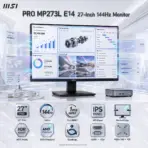
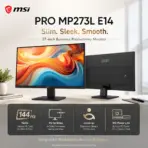
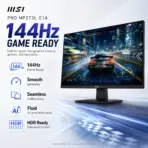
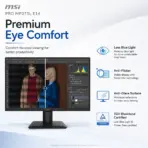
MSI PRO MP273L E14 MONITOR 27″ FHD 144Hz 1MS IPS-BLK
MSI PRO MP273L E14 27-Inch FHD 144Hz IPS Business Monitor, HDR Ready, AMD FreeSync, PerfectEdge, EyesErgo, HDMI 2.0, VGA, VESA Mount & MSI Power Link
Generate an AI Image
- Layout
- Create an exact 2048 × 2048-pixel, perfect 1:1 square website product-profile composition for the MSI PRO MP273L E14.
- Clearly separate the foreground, midground, and background.
- Keep the complete monitor, MSI logo, title, icons, visual effects, and disclaimer fully inside generous safe margins.
- Place the official MSI logo at the top-left.
- Center “PRO MP273L E14 27-Inch 144Hz Monitor” at the top using refined, moderately sized, premium three-dimensional extruded typography.
- Construct the title from dark graphite crystal, polished titanium edges, and restrained icy-cyan illumination.
- Do not create a banner, poster, stage, pedestal, wide layout, or cropped preview.
- DONT use cheap gaming poster typography.
- Product Presentation
- Use the official product images from the provided MSI page as the strict visual reference.
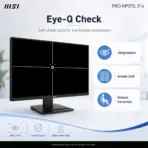
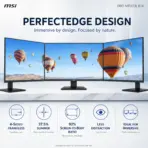
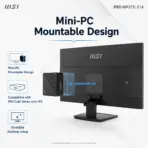
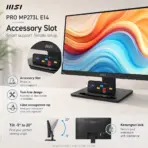
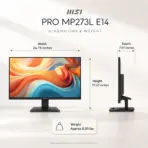
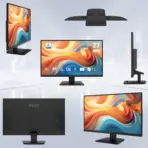
- Preserve the exact black 27-inch monitor, PerfectEdge four-sided frameless design, slim side profile, engraved rear housing, compact stand, accessory slot, and original proportions.
- Show one complete landscape monitor only, facing forward at a subtle three-quarter angle.
- This model is tilt-only; do not depict portrait rotation, height adjustment, or swivel movement.
- Display a bright metallic iridescent multicolored sophisticated modern-office workflow containing financial dashboards, engineering diagrams, AI-generated concept boards, documents, and organized productivity windows.
- Create a restrained forced-perspective illusion where thin translucent application windows flow smoothly beyond the four frameless edges, visually expressing the PerfectEdge design and 144Hz fluidity without implying a real holographic feature.
- Artistically Distinct and Detailed Background
- Build the visual story “The Borderless Operations Desk”, where information moves freely beyond the monitor’s slim frame into an elegant next-generation professional workspace.
- Use a dominant extreme luster pearlescent opaline-white environment with subtle transparent oily iridescence, icy cyan, silver, and controlled graphite accents.
- Make the black monitor stand out through precise rim lighting, polished reflections, and soft volumetric separation.
- Use only two principal texture families: deep transparent opalescent glass and conch-pearl micro-swirled surfaces.
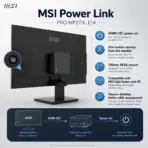
- Add floating data ribbons, curved workflow paths, compact mini-PC geometry, refined cable-management contours, and subtle four-sided architectural frames.
- Keep matting strictly and minimally.
- Icons — Bullet Listed
- CRITICAL DIRECTIVE [STRICT] The Icons MUST Have different shapes depending on the specific content of the icon
- Align these large, bold, ultra-readable, uniquely shaped 3D icons horizontally at the bottom within two rows :
- 27″ FHD
- 144Hz
- 1ms MPRT
- IPS Panel
- PerfectEdge
- HDR Ready
- AMD FreeSync
- EyesErgo
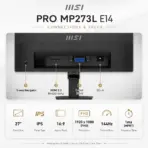
- HDMI + VGA
- VESA 100 × 100
- Output Requirements
- Render exactly 2048 × 2048 pixels.
- Add “Infographic Designed by the Expert Zone Team” at the bottom in a super-small discreet font.
- Constraints
- Do not add DisplayPort, USB-C, speakers, audio output, KVM, PIP/PBP, pivot, height adjustment, or swivel.
- Do not transform it into a dedicated gaming monitor or add villains, weapons, battle scenes, esports graphics, or RGB chaos.
- Maintain a clean, premium business-productivity identity.
- Never make it look like a premium ad poster.
- Before finalizing, ask: “How does this image fare as a product-profile image?” Automatically correct every product-accuracy, clipping, hierarchy, contrast, and thumbnail-readability flaw.