


Layout
- Create a clean square website product-profile composition in a perfect 1:1 canvas, with explicitly separated foreground, midground, and background.
- Keep generous safe margins; every product, text, icon, and background element must remain fully inside the canvas.
- Never create a poster, banner, vertical layout, wide composition, cropped preview, or cheap gaming-poster typography.
Product Presentation
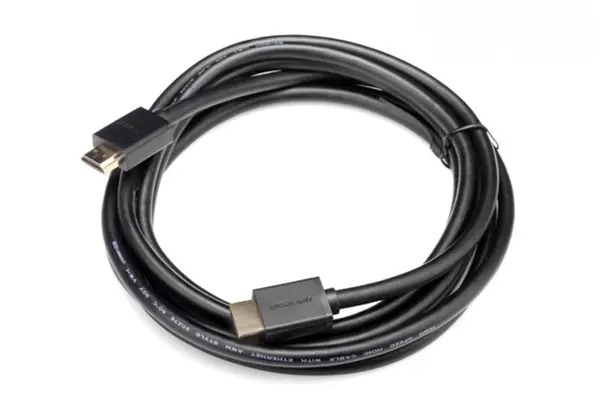
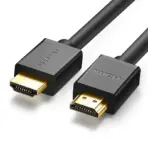
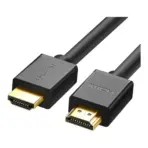
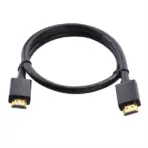
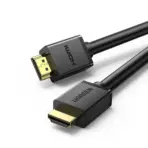
- Use the supplied raw/reference product image of the UGREEN HD104 HDMI cable.
- Preserve the exact product design, geometry, black color, connector shape, cable form, and UGREEN branding. Invent no feature.
- Create an extreme-resolution 3D render with razor-sharp product outlines and no stage or pedestal.
- Place the verified UGREEN logo at the top-left inside safe margins.
- Center HD104 HDMI 2.0 Cable at the top in contrasting 3D extruded typography.
- Ensure the black product and title remain clearly separated from the bright background.
Artistically Distinct and Detailed Background
- Build a non-déjà-vu surreal, minimalistic gaming-and-display signal scene: a pearlescent white orbital display environment with subtle original geometric silhouettes suggesting a monitor, console, projector beam, and flowing HDMI data paths.
- Use mandatory dominant extreme high-luster pearlescent white, with subtle secondary fluid oily transparent high-luster iridescent silver-metallic color.
- Select no more than two textures: molded translucent dichroic glass and light liquid iridescent chrome.
- Use global illumination, controlled caustics, dielectric refractions, soft volumetric light, and curved sculptural depth. Matte surfaces must be strictly minimal and only for definition.
Icons — Bullet Listed
- 4K 60 Hz: Large razor-sharp 3D freeform display-frame icon with readable text fully inside.
- HDMI 2.0: Distinct angular connector-shaped icon with readable text fully inside.
- Male-to-Male: Symmetrical dual-connector icon with readable text fully inside.
- ARC + Ethernet: Split signal-loop icon with readable text fully inside.
- HDMI Compatibility: Multi-device display icon with readable text fully inside.
- Align icons horizontally along the bottom or vertically at the side, appropriate to the cable shape, and keep each readable at thumbnail size.
- CRITICAL DIRECTIVE [STRICT] The Icons MUST Have different shapes depending on the specific content of the icon
Output Requirements
- Render exactly 2048 × 2048 pixels, perfect 1:1 square, with high resolution throughout, safe margins, and nothing clipped.
- Add one discreet bottom disclaimer: “Specifications based on verified retailer and catalog listings.”
Constraints
- Do not alter the product, invent unsupported information, improvise from missing facts, blend the product or title with the background, use a pedestal, add clutter, graphite smog, excessive matte, crop, or make a premium ad poster.
- Final Quality-Control Constraint: Ask, ‘How does this image fare as a product-profile image?’ Fix every flaw in identity, legibility, spacing, sharpness, separation, safe margins, and unsupported visual information before output.