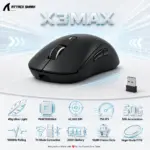



X3MAX-WHITE
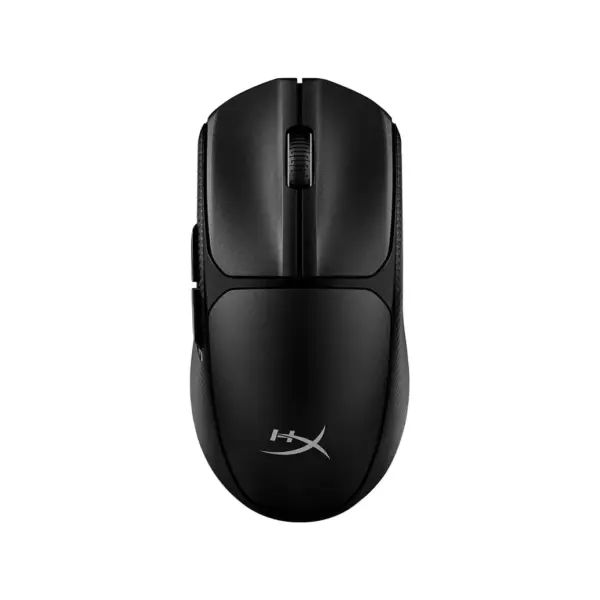
ATTACK SHARK X3 MAX TRIMODE MOUSE OMRON OPTICAL SWITCH-WHITE
Attack Shark X3MAX Wireless Gaming Mouse – 49g, PAW3950MAX, 42,000 DPI, 750 IPS, 50G, Tri-Mode, 1000Hz, 200H Battery, Omron Optical Switches, PTFE Feet, Nano Receiver, USB-C | WHITE
GENERATE AN AI IMAGE
Layout
- Create an exact 2048 × 2048-pixel, 1:1 square e-commerce product-profile composition with safe margins.
- Separate the foreground mouse, mouse-pad surface, and surreal tracking environment.
- Make the mouse dominant at 50–58% of the canvas width.
- Keep the mouse, nano receiver, logo, title, icons, and footer inside the canvas.
- Never create a poster, stage, pedestal, cosmetics display, dark control room, or cinematic advertisement.
Product Presentation
- Use only the exact Attack Shark X3MAX White reference.
- Preserve its authentic white shell, black controls, symmetrical shape, buttons, seams, scroll wheel, proportions, and construction.
- Show one razor-sharp three-quarter view resting naturally on a refined gaming mouse pad.
- Keep the nano receiver secondary at no more than 8–10% of the canvas width.
- Place the official Attack Shark logo at the top-left.
- Centre X3MAX at the top using restrained extruded typography with a deep-cyan face, pearl-white edge, and separation glow.
Product-Function Theme Lock
- Category: ultralight tri-mode gaming mouse.
- Main function: precise tracking, rapid flick movement, controlled stopping, and low-latency input.
- Natural environment: bright iridescent competitive desk with believable mouse-pad interaction.
- Strongest benefits: 49g ±2g, PAW3950MAX, 42,000 DPI, 750 IPS, 50G acceleration, and 1000Hz polling.
- Connectivity: USB-C wired, 2.4GHz wireless, and Bluetooth 5.2.
- Use one unified story: The Opaline Vector-Tracking Observatory.
Artistically Distinct and Detailed Background
- Use 60–65% pearlescent opaline-white and conch-pearl, 25–30% petrol-blue and cyan, and no more than 5–10% violet.
- Place a concentrated deep-cyan zone directly behind the white mouse for complete silhouette separation.
- Build substantial dichroic-glass tracking rails, sensor-grid caustics, cursor paths, and polished stopping rings.
- Use only opalescent transparent glass and conch-pearl high-luster material.
- Prohibit pink, rose-gold, candy colors, graphite fog, black smog, dark corners, decorative glass balls, and random thin tubes.
Icons — Bullet Listed
- 49g Ultra-Light
- PAW3950MAX Sensor
- 42,000 DPI
- 750 IPS
- 1000Hz Polling
- Tri-Mode Connection
- 200H Battery Life
- 100M Omron Optical Clicks
- Virgin-Grade PTFE Feet
- Use large, unique, feature-specific hollow 3D icons in two spacious rows.
- CRITICAL DIRECTIVE [STRICT] The Icons MUST Have different shapes depending on the specific content of the icon
- – The typography of every icon should stay X-LARGE , BOLD, and ultra-readable , especially as the complete image is reduced to website-thumbnail size. – Place unique hollow esports icons in two clean rows at the bottom; never use badges, cards, frames, shields, capsules, or containers
Output Requirements
- Render exact 2048 × 2048 pixels with extreme-resolution 3D detail.
- Maintain a razor-sharp silhouette around the mouse and receiver.
- Add the discreet footer: “Infographics Made with ❤️ by the Expert Zone Team”.
Constraints
- Do not recolor, reshape, simplify, or invent any part of the mouse.
- Do not add RGB lighting, a charging dock, extra buttons, unsupported accessories, grip tape, or unverified compatibility.
- Do not let the title, receiver, icons, or background compete with the mouse.
- Never make the result look like a premium ad poster.
Final Quality-Control Inspection
- Ask: “How does this image fare as a product-profile image?”
- Reject any result where the mouse blends into pale scenery, the palette becomes pink, the receiver is oversized, the title dominates, icons repeat shapes, or the environment becomes dark or product-irrelevant.