

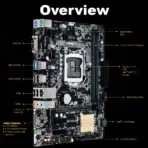

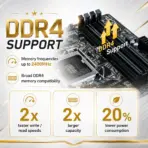
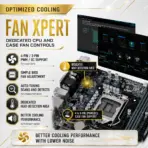
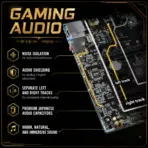



ASUS-H110M-F
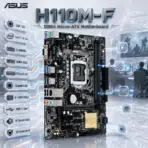
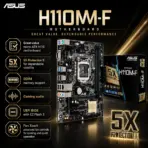
ASUS H110M-F DDR4 MOTHERBOARD
ASUS H110M-F Micro-ATX Motherboard With LGA 1151, Intel 7th/6th Gen CPU Support, 2x DIMMs DDR4-2400, PCIe 3.0 x16, Gigabit LAN, VGA, SATA 6Gb/s, USB 3.0, 8-Channel Audio And EZ Flash 3
GENERATE AN AI IMAGE
- Layout
- Create a clean, high-conversion website product-profile composition for the ASUS H110M-F motherboard.
- Produce an exact 2048 × 2048-pixel, perfect 1:1 square output.
- Clearly separate the foreground, midground, and background, preserving generous safe margins around every canvas edge.
- Place the official ASUS logo at the top-left, accurately proportioned and completely inside the safe area.
- Center “H110M-F DDR4 Micro-ATX Motherboard” at the top using refined, moderately sized, three-dimensional extruded typography made from dark graphite crystal, brushed titanium, and restrained icy-blue illumination.
- Avoid cheap gaming-poster typography, banners, vertical layouts, wide compositions, and cropped previews.
- Product Presentation
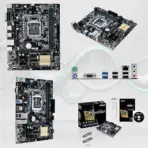
- Use the supplied raw product image as the strict visual reference.
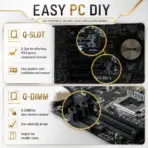
- Preserve the exact compact PCB proportions, black-and-brown circuit-board color, LGA 1151 socket, two DDR4 DIMM slots, one PCIe x16 slot, two PCIe x1 slots, four SATA connectors, chipset heatsink, capacitors, rear I/O, headers, printed markings, and ASUS branding.
- Position one complete motherboard prominently in the midground at a refined three-quarter angle, with every board edge visible.
- Render PCB traces, solder points, slots, socket pins, capacitors, connectors, and heatsink textures in extreme resolution.
- Do not install or invent a CPU, RAM, graphics card, storage drive, cables, M.2 slot, HDMI port, Wi-Fi module, or unsupported accessories.
- Do not place the motherboard on a stage or pedestal.
- Artistically Distinct and Detailed Background
- Background Story — Mandatory Concept
- Present the board inside a surreal restored classic LAN-café workstation, where an economical older PC has been revived for office work, legacy software, and light classic gaming.
- Transform the board’s circuitry into elegant glowing data routes connecting the CPU socket, DDR4 memory, SATA storage, PCIe graphics slot, VGA display, and Gigabit network.
- Add subtle, non-identifiable tactical-game silhouettes in the distance without reproducing a copyrighted screenshot or covering the product.
- Background Color Palette
- Use mandatory dominant pearlescent opaline-white, subtle opaline-silver, restrained icy blue, and tiny amber circuit accents.
- Background Texture
- Use only conch-pearl micro-swirly textures and dichroic-glass circuit structures.
- Apply controlled iridescence, dielectric refractions, caustic reflections, curved sculptural depth, and refined global illumination.
- Keep matte surfaces strictly minimal.
- Background Story — Mandatory Concept
- Icons — Bullet Listed
- CRITICAL DIRECTIVE [STRICT] The Icons MUST Have different shapes depending on the specific content of the icon
- LGA 1151
- Intel 7th / 6th Gen
- 2x DIMMS
- DDR4-2400
- PCIe 3.0 x16
- Gigabit LAN
- 4 × SATA 6Gb/s
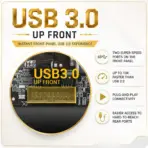
- USB 3.1 Gen 1
- 8-Channel Audio
- 5X Protection II
- Align the unique hollow 3D icons vertically along the side, with all wording fully contained.
- Output Requirements
- Keep the motherboard, logo, title, icons, text, and environment completely inside the exact 2048 × 2048-pixel canvas.
- Maintain extreme sharpness, thumbnail readability, safe margins, and a perfect square composition.
- Constraints
- Do not alter the motherboard design or invent unsupported technology.
- Do not show M.2, HDMI, DisplayPort, USB-C, Wi-Fi, Bluetooth, or RGB lighting.
- Avoid clutter, generic chrome, cheap plastic, excessive matte surfaces, plain white emptiness, and premium-ad-poster styling.
- Before output, ask: “How does this image fare as a product-profile image?” Identify every imperfection and automatically correct it.