




XG32UQDMS
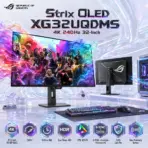
ASUS ROG Strix OLED XG32UQDMS MONITOR 32″4K QD-OLED PANEL 240Hz 0.03 ms-BLK
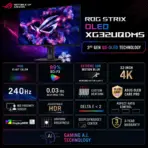
ASUS ROG Strix OLED XG32UQDMS 31.5-Inch 4K QD-OLED Gaming Monitor, 240Hz, 0.03ms, HDR True Black 400, 99% DCI-P3, Dual HDMI 2.1, G-SYNC, FreeSync Premium Pro and OLED Care Pro
Generate an AI Image
Layout
- Create an exact 2048 × 2048-pixel, perfect 1:1 square website product-profile composition for the ASUS ROG Strix OLED XG32UQDMS gaming monitor.
- Place the official ROG logo at the top-left, accurately proportioned and fully contained within generous safe margins.
- Center “Strix OLED XG32UQDMS 4K 240Hz 32-Inch” at the top using refined, moderately sized, three-dimensional extruded typography.
- Construct the title from dark smoked crystal, black titanium, and restrained ROG-red and spectral-violet detailing so it remains sharply separated from the pale environment.
- Clearly divide the foreground, midground, and background while keeping the monitor, stand, title, logo, icons, and environmental structures fully inside the square canvas.
- Do not create a poster, banner, vertical layout, wide composition, cropped preview, or cheap gaming-poster typography.
Product Presentation
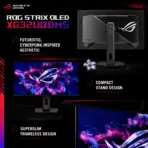
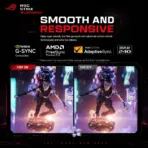
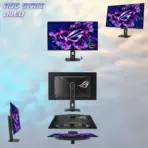
- Use the official XG32UQDMS product imagery of two monitors as the strict visual reference.
- Preserve the exact black frameless 31.5-inch display, superslim profile, cyberpunk-inspired rear housing, compact ergonomic stand, base groove, rear ventilation, and physical proportions.
- Present one monitor large in the midground at a clean front three-quarter desk angle.
- Display an original futuristic gaming scene communicating 4K sharpness, 240Hz movement, deep OLED blacks, and intense HDR highlights without copying a protected screenshot.
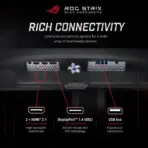
- Add a smaller rear-angle detail showing the stand and connection area.
- Do not add USB-C, Power Delivery, KVM, speakers, a webcam, or front-facing RGB lighting.
- [STRICT] The monitor is displaying a scene of the attached image “valorant-pride-1″ , The key artistic effect is a powerful, physical anamorphic illusion where the display area acts as a window portal. A three-dimensional subtle transparent model of [the color waves of the gaming scene ] must appear to be physically extruding and emerging from the surface of the laptop screen, breaching and flowing into the surrounding space as a volumetric, detailed structure. the [ subtle transparent color waves of the gaming scene ] should look like it’s caught in the middle of the action of ” half the way exiting the screen” in FORCED anamorphic illusion
Artistically Distinct and Detailed Background
- Create a surreal inspired by VOLARANT gaming and content-creation desk where crystalline 4K data streams flow from a gaming PC toward the QD-OLED panel.
- Use mandatory dominant pearlescent opaline-white with secondary opaline-silver, icy cyan, spectral violet, and restrained ROG-red accents.
- Use only two texture families: conch-pearl micro-swirled surfaces and thick molded dichroic-glass motion structures.
- Include controlled deep-black reflective pockets symbolizing OLED contrast without allowing the black monitor to disappear.
- Apply global illumination, precise caustic reflections, dielectric refractions, and soft volumetric lighting.
- Reserve matte materials strictly for minor product and desk definition.
Icons — Numbered and Listed
- 1. 31.5-Inch 4K QD-OLED
- 2. 240Hz
- 3. 0.03ms GtG
- 4. HDR True Black 400
- 5. 99% DCI-P3
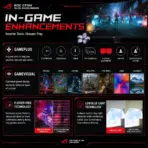
- 6. G-SYNC + FreeSync Premium Pro
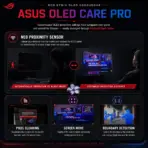
- 7. OLED Care Pro
- 8. Neo Proximity Sensor
- Align the esports style icons horizontally at the bottom using unique hollow extruded crystal forms and readable condensed text.
- Keep the typography of every icon ultra-readable when the complete image is reduced to website-thumbnail size.
- CRITICAL DIRECTIVE [STRICT] The Icons MUST Have different shapes depending on the specific content of the icon
Output Requirements
- Render at exactly 2048 × 2048 pixels with a perfect square 1:1 ratio.
- Maintain extreme-resolution rendering, accurate product geometry, realistic OLED contrast, crisp typography, and website-thumbnail readability.
Constraints
- Do not alter the monitor, stand, port layout, screen shape, or product color.
- Do not invent USB-C, Power Delivery, KVM, speakers, pivot adjustment, curvature, or unsupported accessories.
- Do not place the monitor on a stage or pedestal.
- Never make the result resemble a conventional premium advertisement poster.
- Before rendering, ask: “How does this image fare as a product-profile image?” Automatically correct every hardware error, clipping risk, text mistake, and composition flaw.