

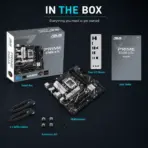



B760M-AJ-DDR4
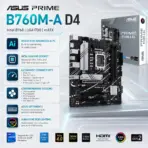
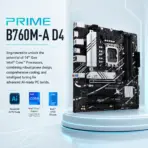
ASUS PRIME B760M-A DDR4 MOTHERBOARD
ASUS PRIME B760M-A D4 Micro-ATX Motherboard, LGA 1700, 4x DDR4 5333(OC), PCIe 4.0, Dual M.2 64Gbps, 2.5Gb Ethernet, Dual HDMI 2.1, DisplayPort, Front USB-C, 14th / 13th / 12th Gen
Generate an AI Image
Layout
- Create an exact 2048 × 2048-pixel, perfect 1:1 square website product-profile composition for the ASUS PRIME B760M-A D4.
- Place the official ASUS logo at the top-left and center “PRIME B760M-A D4 ” at the top.
- Sculpt the title from deeply extruded smoked-crystal lettering with dark titanium contours, icy-cyan internal refractions and sufficient contrast against the pale setting.
- Clearly separate the foreground, midground and background, preserving generous safe margins around the complete motherboard, logo, title, icons and scenery.
Product Presentation
- Use the supplied raw motherboard image as the strict visual reference.
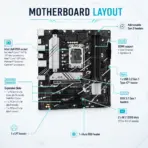
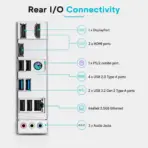
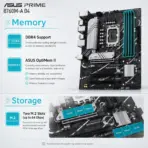
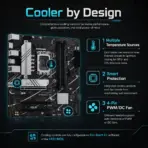
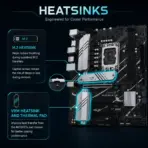
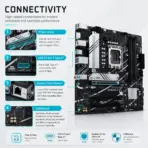
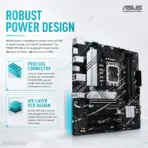
- Preserve the exact black PCB, white-and-silver heatsinks, LGA 1700 socket, four DDR4 slots, three full-length PCIe slots, two M.2 positions, rear I/O, capacitors, connectors, printed markings and ASUS branding.
- Mount one complete board naturally inside an open translucent micro-ATX computer chassis, viewed at a refined three-quarter angle.
- Keep the motherboard unobstructed; do not install a processor cooler, graphics card, RAM or SSD over its important components.
- Do not place it on a stage, podium, pedestal or floating retail slab.
Artistically Distinct and Detailed Background
- Create “The Opaline Signal Cartographer”, a surreal post-sale assembly chamber where the motherboard behaves like a living map drawing the future computer around itself.
- In the foreground, let a delicate translucent robotic compass trace luminous routes across a glass workbench, stopping precisely before the physical PCB so the real product remains untouched.
- In the midground, extend the board’s genuine circuit patterns into four towering conch-pearl memory corridors, while two compressed rivers of crystalline data flow naturally toward the real M.2 locations.
- Above the LGA 1700 socket, suspend three nested astronomical rings divided into fourteen, thirteen and twelve engraved segments, symbolising processor-generation compatibility without depicting an unsupported CPU.
- In the background, transform the 2.5Gb Ethernet route into a grounded emerald data bridge feeding an abstract miniature server city.
- Let three separate iridescent light ribbons emerge near the Addressable Gen 2 headers and one broader spectral ribbon near the Aura header, symbolising external lighting compatibility without adding false onboard RGB.
- Use mandatory dominant pearlescent opaline-white, secondary opaline-silver, glacial cyan and restrained ultraviolet.
- Use only conch-pearl micro-swirled relief and thick transparent dichroic glass textures.
- Apply powerful global illumination, controlled iridescence, dielectric refractions, caustic-light reflections and soft volumetric depth. Keep matte surfaces strictly minimal.
Icons — Bullet Listed
- 14th / 13th / 12th Gen Intel
- 4x DDR4 — 5333(OC)
- Dual M.2 — 64Gbps
- PCIe 4.0
- Realtek 2.5Gb Ethernet
- Dual HDMI + DisplayPort
- Rear USB 10Gbps + Front USB-C
- Aura Sync
- Align the icons horizontally along the bottom.
- CRITICAL DIRECTIVE [STRICT] The Icons MUST Have different shapes depending on the specific content of the icon
- Give every icon a unique design defined by the content of that specific icon.
- CRITICAL DIRECTIVE [STRICT] The Icons MUST Have different shapes depending on the specific content of the icon .
- The typography of every icon should stay LARGE , BOLD, and ultra-readable , especially as the complete image is reduced to website-thumbnail size.
Output Requirements
- Produce exactly 2048 × 2048 pixels with a perfect square 1:1 ratio.
- Keep all product edges, text, icons and background elements fully inside the canvas.
- Maintain extreme product sharpness and clean e-commerce hierarchy.
Constraints
- Do not invent WiFi, Bluetooth, onboard RGB, extra ports, slots, heatsinks or accessories.
- Do not create a poster, banner, vertical layout, wide composition or cropped preview.
- Avoid generic chrome, cheap plastic, flat white emptiness, excessive matte material and visual clutter.
- Before finalising, brutally evaluate: “How does this image fare as a product-profile image?” Automatically correct every flaw before output.
- Follow the supplied five-part structure and strict image-generation requirements.