


90NB1441-M001M0
ASUS PROART PZ13 HT5306Q SNAPDRAGON XPLUS X1P42100 DDR5 16GB/1TB/13.3″/WIN11
ASUS ProArt PZ13 AI Laptop: Snapdragon X Plus |16GB DDR5X RAM ; 1TB NVMe | 13.3-inches 3K OLED Touchscreen | Qualcomm® Adreno GPU | Detachable Keyboard | Windows 11 | Nano Black ~ HT5306QA-PZ13.X1P1TB
ASUS ProArt PZ13 HT5306QA Detachable AI Laptop – Snapdragon X Plus X1P-42-100, 16GB LPDDR5X, 1TB SSD, 13.3″ 3K OLED Touch, 45 TOPS NPU, Adreno, Wi-Fi 7, Windows 11 Home
Generate an AI Image Prompt
Layout
-
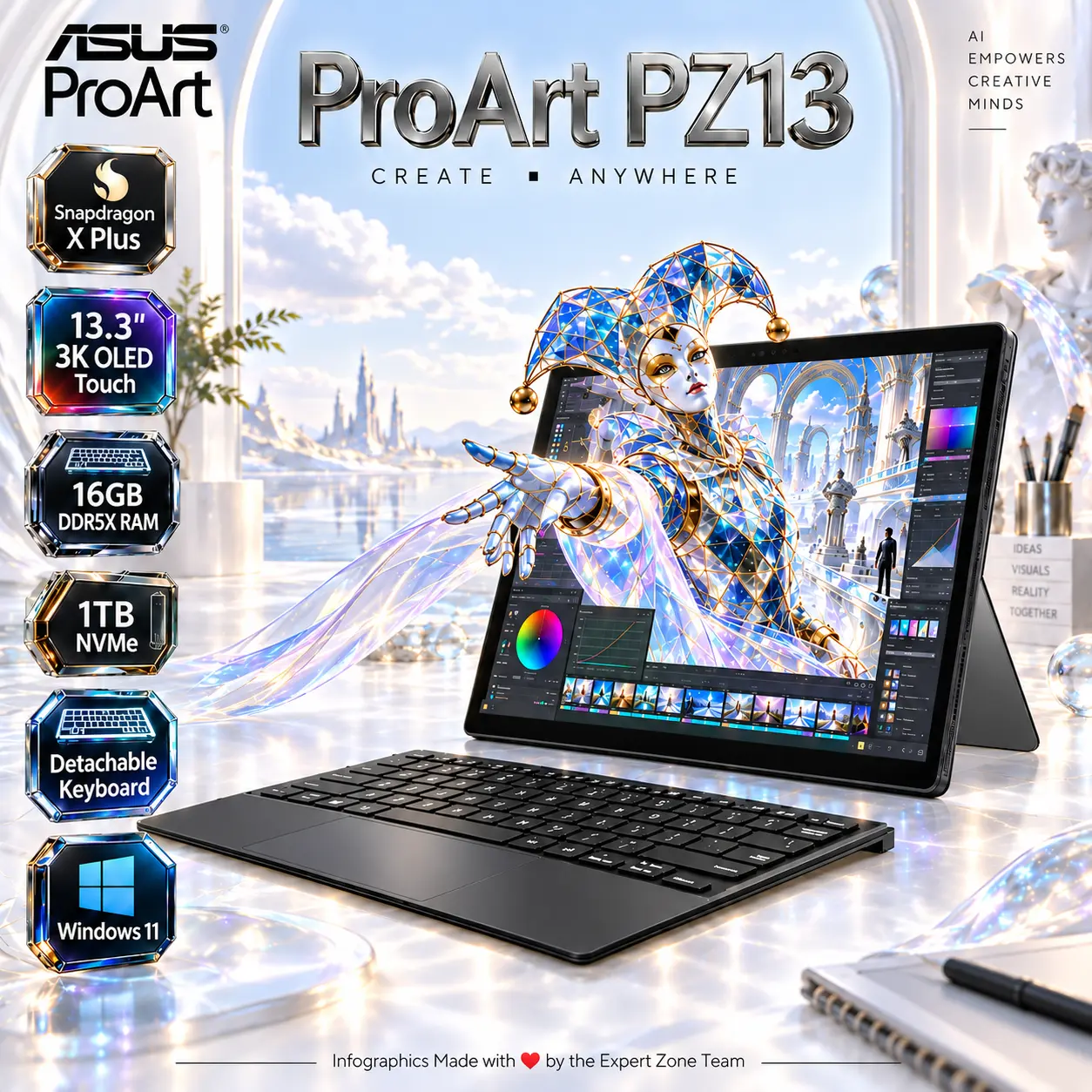
Create an exact 2048 × 2048, perfect 1:1 square website product-profile composition for the ASUS ProArt PZ13 HT5306QA — Nano Black.
-
Make the complete detachable device the dominant hero, occupying approximately 68–72% of the useful canvas.
-
Foreground: show the tablet and attached keyboard from a refined low three-quarter angle, exposing the OLED touchscreen, touchpad, slim chassis and detachable construction.
-
Midground: position a small translucent creative workstation behind the device, without obscuring its physical details.
-
Background: create an ultra-minimal surreal AI-assisted creative studio, not a gaming battlefield.
Product Presentation
-
Use official ProArt PZ13 imagery as the strict physical reference. Preserve the Nano Black finish, exact bezels, proportions, detached keyboard and visible connections.
-
Render the device in extreme-resolution photorealistic 3D, with razor-sharp edges and accurate material reflections.
-
Place the ASUS ProArt logo at the top-left.
-
Center “ProArt PZ13” at the top using elegant, extruded light-silver typography.
Artistically Distinct and Detailed Background
-
Story: portray a mobile creator transforming a digital architectural concept into a tangible three-dimensional object through AI-assisted design.
-
The entire 13.3-inch OLED display depicts a meticulously detailed concept wallpaper: a luminous bright-colors architectural Interface observatory, suspended glass walkways, delicate cyan illumination and a large sculptural harlequin made from translucent opaline glass.
-
The harlequin must already exist inside the displayed wallpaper, with its wings partially extended among the observatory structures.
-
Create a powerful forced anamorphic screen-portal illusion: the harlequin‘s head, chest and one extended wing emerge halfway through the OLED surface as a coherent volumetric 3D object.
-
Its remaining body stays visibly inside the screen. Align perspective, physical depth, reflections and contact shadows precisely at the display boundary.
-
Keep the harlequin secondary. The entire device must remain the largest and clearest object.
-
Surround the scene with extreme high-luster pearlescent white, extreme high-luster metallic silver .
-
Use only two major material families: sculpted conch-pearl and deep transparent iridescent oil.
-
Express AI processing through a few delicate, translucent computational ribbons, never cluttered circuit graphics.
-
Apply refined caustics, dielectric refractions and global illumination. Avoid graphite smog, dark backgrounds, matte-heavy surfaces and generic chrome.
Gaming hardware aesthetic Icons
- Snapdragon X Plus
- 13.3″ 3K OLED Touch
- 16GB DDR5X RAM
- 1TB NVMe
- Detachable Keyboard
- Windows 11
-
Each icon is a DIFFERENT 3D Freeform badge The style is futuristic, industrial, and high-tech.
Use realistic rendering with ray-traced reflections and lens flares.
The icons must include specific technical text.
Sharp typography, volumetric lighting, 8k resolution, cinematic composition.
Text to occupy maximum area of each icon, enhance readability and clarity of text.
Text should be of maximum contrasting colors with respect to the badge, text is incorporated inside the icon
-
Align icons vertically along the side in a clean, evenly spaced arrangement.
-
CRITICAL DIRECTIVE [STRICT] The Icons MUST Have different shapes depending on the specific content of the icon
Output Requirements
-
Exactly 2048 × 2048 pixels, perfect 1:1 square.
-
Keep all elements fully inside safe margins.
-
Maintain extreme resolution and thumbnail-scale readability.
-
Add discreetly: “Infographics Made with ❤️ by the Expert Zone Team”.
Constraints
-
Do not alter the product, invent connectivity or introduce unsupported hardware.
-
Do not depict the harlequin or creative environment as an actual product feature.
-
Do not add a dedicated GPU, RGB keyboard or unsupported ports.
-
Avoid pedestals, advertising-poster compositions and visual clutter.
-
Critically inspect physical accuracy, product prominence, screen-portal continuity and icon readability before final output.