

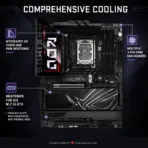
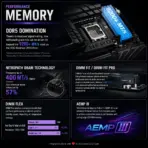
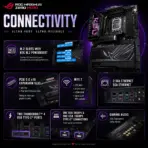
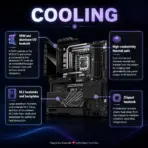



ROG-MAXIMUS-Z890-HER
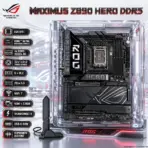
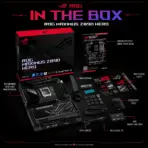
ASUS ROG MAXIMUS Z890 HERO DDR5 MOTHERBOARD
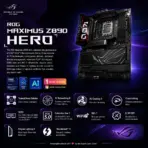
ASUS ROG Maximus Z890 Hero ATX Motherboard, LGA1851, 4x DDR5 9200+ MT/s OC, 22+1+2+2 Power Stages, 6 M.2, PCIe 5.0, WiFi 7, 5GbE + 2.5GbE, Thunderbolt 4, SupremeFX Audio, USB 20Gbps
ROG MAXIMUS Z890 HERO ROG MAXIMUS Z890 HERO ROG MAXIMUS Z890 HERO ROG MAXIMUS Z890 HERO ROG MAXIMUS Z890 HERO ROG MAXIMUS Z890 HERO ROG MAXIMUS Z890 HERO ROG MAXIMUS Z890 HERO ROG MAXIMUS Z890 HERO ROG MAXIMUS Z890 HEROROG MAXIMUS Z890 HEROROG MAXIMUS Z890 HEROROG MAXIMUS Z890 HERO ROG MAXIMUS Z890 HERO ROG MAXIMUS Z890 HERO ROG MAXIMUS Z890 HERO
Generate an AI Image
- Layout
- Create an exact 2048 × 2048-pixel, perfect 1:1 square website product-profile composition for the ASUS ROG Maximus Z890 Hero.
- Clearly separate the foreground, midground, and background, preserving generous safe margins around the complete motherboard, logo, title, icons, connectors, and scenery.
- Place the official Republic of Gamers logo at the top-left, accurately proportioned and fully inside the safe margins.
- Center “Maximus Z890 Hero DDR5” at the top using refined, moderately sized, three-dimensional extruded typography made from black titanium, smoked crystal, and restrained icy-red illumination.
- Do not create a banner, vertical layout, wide layout, cropped preview, or cheap gaming-poster composition.
- DONT use cheap gaming poster typography.
- Product Presentation
- Use the supplied raw motherboard & antenna image as the strict visual reference.
- Preserve the exact ATX proportions & antenna, LGA1851 socket, four DDR5 slots, PCIe slots, six M.2 positions, heatsinks, rear-I/O cover, connectors, printed markings, Polymo Lighting II area, and ROG branding.
- Mount one complete motherboard naturally inside an open translucent ATX chassis during a precise post-sale enthusiast PC assembly.
- Keep the motherboard & antenna unobstructed; do not install RAM, a graphics card, CPU cooler, or SSD over its important components.
- Do not place the motherboard on a stage or pedestal.
- Artistically Distinct and Detailed Background
- Create a surreal cybernetic motherboard foundry where flowing data lanes, liquid-light circuitry, and translucent cooling channels converge toward the LGA1851 socket like an intelligent command core.
- Add faint tactical silhouettes and abstract neon navigation paths inspired by futuristic competitive gaming, without copying any protected game scene, logo, character, or interface.
- Use a mandatory dominant pearlescent opaline-white palette with a subtle oily-transparent iridescent sheen, restrained icy-cyan reflections, black contrast zones, and disciplined ROG-red energy accents.
- Use only two textures: deep opalescent high-gloss transparent material and dichroic glass with internal liquid-crystal illumination.
- Emphasize heavy sculptural depth, curled reliefs, dielectric refractions, caustic reflections, and refined global illumination.
- Use matte surfaces strictly minimally for definition.
- Icons — Bullet Listed
- CRITICAL DIRECTIVE [STRICT] The Icons MUST Have different shapes depending on the specific content of the icon
- Create large, razor-sharp, individually shaped 3D crystal icons with all extra large text fully contained inside.
- The typography of every icon should stay LARGE , BOLD, and ultra-readable , especially as the complete image is reduced to website-thumbnail size.
- they color of the typography should be contrasting to everything around it .
- Align the icons vertically along the side:
- LGA1851
- Core™ Ultra Processors (Series 2)
- 4x DDR5 9200+ OC
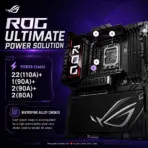
- 22+1+2+2 Power Stages
- 6 × M.2
- PCIe 5.0
- WiFi 7
- 5GbE + 2.5GbE
- Thunderbolt 4
- USB-C 60W
- SupremeFX ALC4082
- Output Requirements
- Produce exactly 2048 × 2048 pixels with a perfect 1:1 square ratio.
- Keep the motherboard, logo, title, icons, and all scenery fully inside the canvas.
- Use extreme-resolution, product-accurate 3D rendering.
- Constraints
- Do not alter the motherboard design or invent unsupported hardware.
- Do not obscure the socket, DIMM slots, PCIe slots, M.2 areas, or rear I/O.
- Avoid plain white emptiness, generic chrome, cheap plastic, clutter, and excessive matte surfaces.
- NEVER make it look like a premium ad poster.
- Before finalizing, ask: “How does this image fare as a product-profile image?” Identify every imperfection and automatically correct it.