


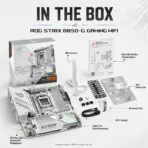



B850-G-GAMING-WIFI
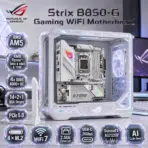
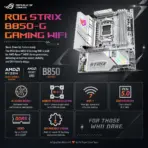
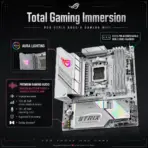
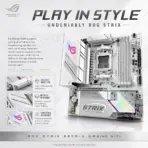
ASUS ROG STRIX B850-G GAMING WIFI DDR5 MOTHERBOARD
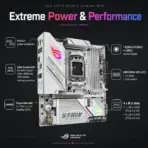
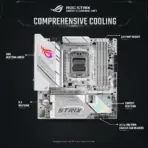
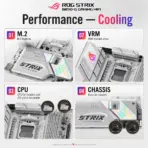
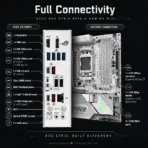
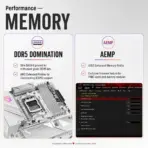
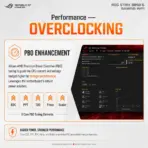
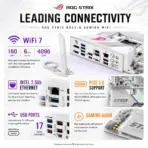
ASUS ROG Strix B850-G Gaming WiFi mATX Motherboard, AM5, 4x DDR5 8000+ MT/s OC, 14+2+1 80A Power Stages, PCIe 5.0, 4 M.2, WiFi 7, 2.5GbE, USB-C 20Gbps, for 9000 & 8000 & 7000 Ryzen Series
Motherboard, AM5, Motherboard, AM5, Motherboard, AM5,Motherboard, AM5,Motherboard, AM5,Motherboard, AM5,Motherboard,
B850-G B850-G B850-G B850-G B850-G
Generate an AI Image
- Layout
- Create an exact 2048 × 2048-pixel, perfect 1:1 square website product-profile composition for the ASUS ROG Strix B850-G Gaming WiFi.
- Clearly separate the foreground, midground, and background, preserving generous safe margins around the complete motherboard, logo, title, icons, antenna, connectors, and scenery.
- Place the official Republic of Gamers logo at the top-left, accurately proportioned and completely inside the safe margins.
- Center “Strix B850-G Gaming WiFi Motherboard” at the top using refined, moderately sized, three-dimensional extruded typography made from dark graphite crystal, black titanium edges, and restrained icy-magenta illumination.
- Do not create a banner, vertical layout, wide layout, cropped preview, stage, pedestal, or cheap gaming-poster composition.
- DONT use cheap gaming poster typography.
- Product Presentation
- Use the supplied raw motherboard & antenna image as the strict visual reference.
- Preserve the exact white antenna, micro-ATX PCB, AM5 socket, four DDR5 slots, reinforced PCIe slot, four M.2 positions, heatsinks, rear-I/O shroud, connectors, printed markings, and ROG branding.
- Mount one complete motherboard & antenna naturally inside an open iridescent translucent micro-ATX gaming chassis on a real post-sale gaming desk.
- Keep the board fully visible and unobstructed; do not install RAM, graphics card, CPU cooler, or SSD over important components.
- Show the supplied WiFi antenna nearby without inventing extra accessories.
- Artistically Distinct and Detailed Background
- Create a surreal white cyber-fortress assembly story where the motherboard operates as the luminous control grid of a newly built gaming battlestation.
- Surround the open chassis with restrained spectral tactical silhouettes, flowing network trajectories, and fragmented digital architecture suggesting competitive gaming speed without copying any copyrighted game screenshot, character, logo, or interface.
- Use a mandatory dominant pearlescent opaline-white palette with subtle oily-transparent iridescence, deep charcoal contrast cavities, icy-cyan data light, and controlled magenta-red ROG accents.
- Prevent the white and silver motherboard from blending into the pale environment by placing darker opalescent reliefs directly behind its outline.
- Use only two texture styles: conch-pearl micro-swirled textures and thick dichroic-glass forms with internal liquid-crystal illumination.
- Emphasize curved sculptural depth, caustic reflections, dielectric refractions, and refined global illumination.
- Use matte surfaces strictly minimally for edge definition.
- prevent the colors of the background from blending in with the light colored motherboard & antenna
- Icons — Bullet Listed
- CRITICAL DIRECTIVE [STRICT] The Icons MUST Have different shapes depending on the specific content of the icon
- Create large, razor-sharp, unique freeform 3D crystal icons with bold extra large condensed text completely inside each icon.
- the colors of the typography should be contrasting to everything around.
- Align the icons distributed along the side and bottom :
- AMD AM5
- AMD Ryzen™ 9000 & 8000 & 7000
- 4x DDR5 8000+ OC
- 14+2+1 80A Stages
- PCIe 5.0
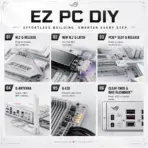
- 4 × M.2
- WiFi 7
- 2.5Gb Ethernet
- USB-C 20Gbps
- SupremeFX ALC1220P
- AI Cache Boost
- Output Requirements
- Produce exactly 2048 × 2048 pixels with a perfect 1:1 square ratio.
- Use extreme-resolution, product-accurate 3D rendering.
- Keep every element fully inside the canvas and safe margins.
- Constraints
- Do not alter the motherboard design or invent unsupported features.
- Do not obscure the socket, DIMM slots, PCIe slot, M.2 areas, or rear I/O.
- Avoid flat white emptiness, generic chrome, cheap plastic, clutter, and excessive matte materials.
- NEVER make it look like a premium ad poster.
- Before finalizing, ask: “How does this image fare as a product-profile image?” Identify every imperfection and automatically fix it.