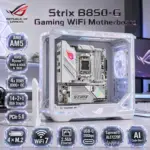


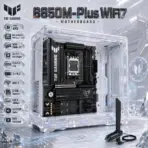
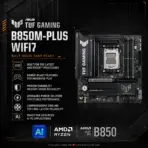
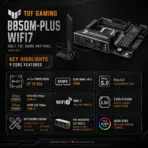
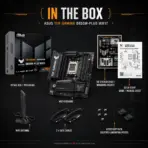



B850M-PLUS-WIFI7
ASUS TUF GAMING B850M-PLUS WIFI7 DDR5 MOTHERBOARD
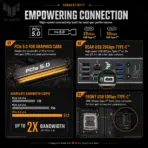
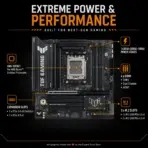
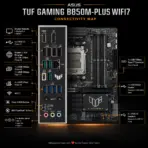
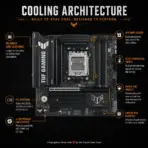
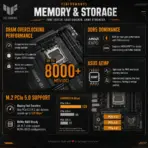
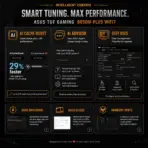
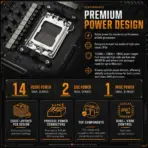
ASUS TUF Gaming B850M-Plus WiFi7 mATX Motherboard, AM5, DDR5 8000+ MT/s OC, 14+2+1 80A Power Stages, PCIe 5.0 x16, 3 M.2, WiFi 7, 2.5GbE, USB-C 20Gbps, for 9000 & 8000 & 7000 Ryzen Series
B850M-Plus B850M-Plus B850M-Plus B850M-Plus B850M-Plus B850M-Plus B850M-Plus B850M-Plus B850M-Plus B850M-Plus B850M-Plus B850M-Plus B850M-Plus B850M-Plus B850M-Plus B850M-Plus B850M-Plus B850M-Plus
Generate an AI Image Prompt
- Layout
- Create an exact 2048 × 2048-pixel, perfect 1:1 square website product-profile composition for the ASUS TUF Gaming B850M-Plus WiFi7.
- Clearly separate the foreground, midground, and background, preserving generous safe margins around the complete motherboard, logo, title, icons, antenna, connectors, and scenery.
- Place the official TUF Gaming logo at the top-left, accurately proportioned and fully inside the safe margins.
- Center “B850M-Plus WiFi7 Motherboard” at the top using refined, moderately sized, three-dimensional extruded typography.
- Construct the title from dark gunmetal crystal, rugged black titanium contours, and restrained amber-cyan illumination that remains distinct from the pale background.
- Do not create a poster, banner, vertical layout, wide layout, or cropped preview.
- DONT use cheap gaming poster typography.
- Product Presentation
- Use the supplied raw motherboard & antenna image as the strict visual reference.
- Preserve the exact micro-ATX & antenna proportions, AM5 socket, four DDR5 slots, reinforced PCIe slot, three M.2 positions, four SATA ports, heatsinks, rear-I/O shield, connectors, printed markings, and TUF branding.
- Mount one complete motherboard & antenna naturally inside an open translucent micro-ATX chassis during a precise post-sale gaming-PC assembly.
- Keep the board unobstructed; do not install RAM, a graphics card, CPU cooler, or SSD over important components.
- Position the included WiFi Q-Antenna naturally beside the chassis.
- Do not place the motherboard on a stage or pedestal.
- Artistically Distinct and Detailed Background
- Create a surreal armored digital workshop where the motherboard functions as the tactical command plate of a newly assembled gaming machine.
- Surround the chassis with restrained mechanical silhouettes, flowing WiFi signals, PCIe data streams, and fragmented battlefield geometry inspired by tactical gaming without copying any protected game scene or character.
- Use a mandatory dominant pearlescent opaline-white palette with subtle oily-transparent iridescence, deep graphite contrast cavities, icy-cyan network light, and controlled TUF amber accents.
- Prevent the dark motherboard from disappearing by placing luminous opaline reliefs behind its complete outline.
- Use only two texture styles: deep opalescent high-gloss transparent textures and gemstone chatoyancy.
- Add softly nested dimensional surfaces, curved armor-like reliefs, caustic reflections, dielectric refractions, and refined global illumination.
- Reserve matte surfaces strictly for small structural details.
- Icons — Bullet Listed
- CRITICAL DIRECTIVE [STRICT] The Icons MUST Have different shapes depending on the specific content of the icon
- Create large, razor-sharp, unique 3D crystal icons with bold condensed text fully contained inside.
- Align the icons vertically along the side:
- AMD AM5
- 9000 & 8000 & 7000 Ryzen™ Series
- DDR5 8000+ OC
- 14+2+1 80A Stages
- PCIe 5.0 x16
- 3 × M.2
- WiFi 7
- 2.5Gb Ethernet
- USB-C 20Gbps
- ALC1220P Audio
- BIOS FlashBack
- Output Requirements
- Produce exactly 2048 × 2048 pixels with a perfect 1:1 square ratio.
- Use extreme-resolution, product-accurate 3D rendering.
- Keep every product edge, logo, title, icon, and background object fully inside the safe margins.
- The typography of every icon should stay contrasting to the background, extra LARGE , BOLD, and ultra-readable , especially as the complete image is reduced to website-thumbnail size.
- Constraints
- Do not alter the motherboard design or invent unsupported hardware.
- Do not obscure the CPU socket, DIMM slots, PCIe slot, M.2 areas, SATA ports, or rear I/O.
- Do not add a fourth M.2 slot, USB4 branding, integrated RGB lighting, or unsupported accessories.
- Avoid flat white emptiness, generic chrome, cheap plastic, excessive matte surfaces, and visual clutter.
- NEVER make it look like a premium ad poster.
- Before finalizing, ask: “How does this image fare as a product-profile image?” Identify every imperfection and automatically correct it.