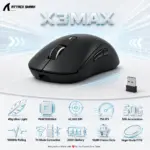
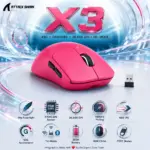

Attack Shark X6 Tri-Mode Wireless Gaming Mouse – 49g, PAW3395, 26,000 DPI, 1000Hz, 650 IPS, 50G, 200 Hours Battery, Kailh GM8.0, TTC Encoder, Magnetic RGB Charging Dock, USB-C | RED 

32 $

EXPERT FEATURES

  • 49g Superlight Design : At only 49g ±3g, the X6 gives you faster flicks, easier corrections, and less hand fatigue during long gaming sessions—maximum movement without the brick-in-your-hand nonsense.
  • Magnetic RGB Charging Dock : Place the mouse directly onto the included magnetic dock for quick charging, then use the dock’s touch control to switch its lighting effect—clean desk, charged mouse, proper setup flex.
  • PixArt PAW3395 Sensor : The flagship gaming sensor supports 800–26,000 DPI with six adjustable levels, giving you controlled precision for daily work and high-speed competitive play.
  • 650 IPS Tracking Speed : Handles fast swipes and savage directional changes at up to 650 IPS, keeping the cursor locked onto your movement when the match goes full yalla mode.
  • 50G Acceleration : Maintains reliable tracking through aggressive flicks and sudden movements with support for up to 50G acceleration.
  • Tri-Mode Connectivity : Switch between USB-C wired, low-latency 2.4GHz wireless, and flexible Bluetooth 5.2 through the rear mode selector.
  • Up to 1000Hz Polling : Adjustable polling from 125Hz to 1000Hz lets you balance responsive gaming input with different usage and power requirements.
  • Up to 200 Hours Battery Life : The rechargeable battery is rated for up to 200 hours of intermittent use, with approximately 2–3 hours required for a full charge.
  • Kailh GM8.0 Black Mamba Switches : Gold-plated three-pin microswitches are rated beyond 80 million clicks, delivering durable, crisp input without cheap double-click drama.
  • TTC Scroll Encoder : The calibrated TTC encoder provides crisp rebound and clearly defined scrolling—perfect for rapid weapon switching and accurate navigation.
  • Full Driver Customization : Configure DPI, polling rate, macro commands, and programmable buttons through Attack Shark’s dedicated X6 software.
  • Wide Platform Support : Official compatibility includes Windows 7/8/10/11, macOS, Android, and Xbox, giving the X6 serious cross-device flexibility.
  • Solid Ergonomic Shell : The X6 achieves its lightweight build without perforating the shell, preserving a smooth body designed for different grip styles and comfortable long-term control.
  • Official Red Configuration : This  item is the standard Red variant, not the separate Red-with-grip-tape configuration.

EXPERT SPECS

Specification Attack Shark X6 Red Details
Brand Attack Shark
Model X6
Color Red
 Configuration Standard Red variant without the optional grip-tape bundle
Product Type Tri-mode wireless gaming mouse with magnetic charging dock
Mouse Weight 49g ±3g
Dimensions 118.3 × 62 × 37.3mm
Sensor PixArt PAW3395
DPI Range 800–26,000 DPI
DPI Levels Six adjustable levels
Tracking Speed Up to 650 IPS
Acceleration Up to 50G
Polling-Rate Range 125–1000Hz
Connectivity USB-C wired, 2.4GHz wireless, Bluetooth 5.2
Wireless Chip BK3633
Charging Accessory Included magnetic charging dock
Dock Lighting Integrated lighting with touch-controlled effect switching
Battery Life Up to 200 hours under the manufacturer’s simulated intermittent-use conditions
Full-Charge Time Approximately 2–3 hours
Main Switches Kailh GM8.0 Black Mamba, three-pin
Switch Lifespan More than 80 million clicks
Switch Release Force 25gf minimum
Switch Operating Force 65 ±10gf
Switch Conduction Travel 0.3 ±0.2mm
Manufacturer-Listed Touch Feeling 25%
Switch Contacts Gold-plated
Scroll-Wheel Encoder TTC encoder
Driver Attack Shark X6 downloadable software
Driver Controls DPI adjustment, polling-rate adjustment, custom macro programming, and programmable buttons
Shell Design Lightweight solid shell without honeycomb perforations
Grip Support Manufacturer describes compatibility with multiple holding styles, including fingertip-style and other common grips
Operating-System Compatibility Windows 7, Windows 8, Windows 10, Windows 11, macOS, Android, and Xbox
Official Standard Colors Black, White, and Red
Optional Bundles White with Tape, Black with Tape, and Red with Tape
Package Focus Mouse with magnetic charging dock
Manufacturer Page Note Two feature paragraphs mistakenly say “X3”; the official title and Technical Specifications identify the product as X6

Features & Compatibility

X6-RED

ATTACK SHARK X6 TRIMODE WIRELESS MOUSE/OPTICAL/MAGNETIC RGB CHARGING BASE-RED

Attack Shark X6 Tri-Mode Wireless Gaming Mouse – 49g, PAW3395, 26,000 DPI, 1000Hz, 650 IPS, 50G, 200 Hours Battery, Kailh GM8.0, TTC Encoder, Magnetic RGB Charging Dock, USB-C | RED


GENERATE AN AI IMAGE

Layout

  • Create an exact 2048 × 2048-pixel, 1:1 square website product-profile composition with generous safe margins.
  • Separate the foreground mouse, midground magnetic-charging environment, and background surreal precision-tracking world.
  • Make the red X6 mouse dominant at approximately 48–55% of the canvas width.
  • Keep the mouse, charging dock, logo, title, icons, connection effects, and footer fully inside the canvas.
  • Never create a stage, pedestal, cosmetics display, toy-packaging layout, dark gaming room, poster, or cinematic advertisement.

Product Presentation

  • Use only the exact Attack Shark X6 Red  both mouse and base reference.
  • Preserve the authentic red solid shell, black controls, scroll wheel, side buttons, seams, contours, dimensions, and proportions.
  • Show one razor-sharp three-quarter mouse and base  view resting naturally on a technically refined high-speed mouse pad.
  • Display the authentic magnetic charging dock beside and slightly behind the mouse as a functional secondary accessory, occupying no more than 20% of the canvas width.
  • Preserve the dock’s authentic form and lighting; never redesign it into a podium.
  • Place the Attack Shark logo at top-left and centre X6 at the top in restrained extruded typography.

Product-Function Theme Lock

  • Category: tri-mode wireless gaming mouse with magnetic charging dock.
  • Function: precise tracking, fast flick movement, smooth control, convenient charging, and multi-device connectivity.
  • Strongest benefits: 49g, PAW3395, 26,000 DPI, 650 IPS, 50G, 1000Hz, and 200-hour battery life.
  • Connectivity: USB-C wired, 2.4GHz wireless, and Bluetooth 5.2.
  • Use one unified concept: The Opaline Magnetic Charge Circuit.
  • Visualize controlled tracking paths flowing from the mouse while a separate magnetic-energy circuit connects naturally to the charging dock.

Artistically Distinct and Detailed Background

  • Use approximately 65–70% High-luster pearlescent opaline-white and conch-pearl, 20–25% High-luster deep petrol-blue and iridescent cyan, and 5–10% controlled iridescent silver accents.
  • Create a concentrated iridescent shimmering deep-cyan chromatic zone directly behind the red mouse for complete silhouette separation.
  • Keep pink, blush, rose-gold, candy-red, and cosmetics-style palettes strictly prohibited.
  • Build substantial dichroic-glass tracking rails, polished sensor grids, and one clean magnetic charging arc.
  • Use only deep opalescent transparent glass and conch-pearl micro-swirled high-luster material.

ESPORTS Icons 

  • 49g Ultra-Light
  • PAW3395 Sensor
  • 26,000 DPI
  • 1000Hz Polling
  • 650 IPS
  • 50G Acceleration
  • Tri-Mode Connection
  • 200H Battery
  • Magnetic RGB Dock
  • 80M+ Kailh Clicks
  • CRITICAL DIRECTIVE [STRICT] The Icons MUST Have different 3D-rendered shapes depending on the specific content of the icon

Output Requirements

  • Exact 2048 × 2048 pixels, extreme-resolution rendering, razor-sharp product edges, readable typography, and zero clipping.
  • Add: “Infographics Made with ❤️ by the Expert Zone Team”.

Constraints

  • Do not recolor, reshape, soften, simplify, or invent any product component.
  • Do not use the dock as a stage or pedestal.
  • Do not add honeycomb holes, unsupported RGB on the mouse, extra buttons, or fake accessories.
  • Do not let the dock, title, icons, or background compete with the mouse.

Final Quality-Control Inspection

  • Ask: “How does this image fare as a product-profile image?”
  • Reject any result where the red mouse blends into pink scenery, the dock becomes the hero, the shell looks cheap or plastic, the background turns dark, or the icons repeat the same shape.