



X500-1TB
KINGSPEC ONE BOOM PRIME X500 M.2 NVME 1TB 14000MBS
KingSpec X500 1TB PCIe 5.0 x4 NVMe 2.0 M.2 SSD, 14,000MB/s Read, 13,000MB/s Write, DRAM + SLC Cache, 600TBW & Graphene Cooling
Generate an AI Image
Layout
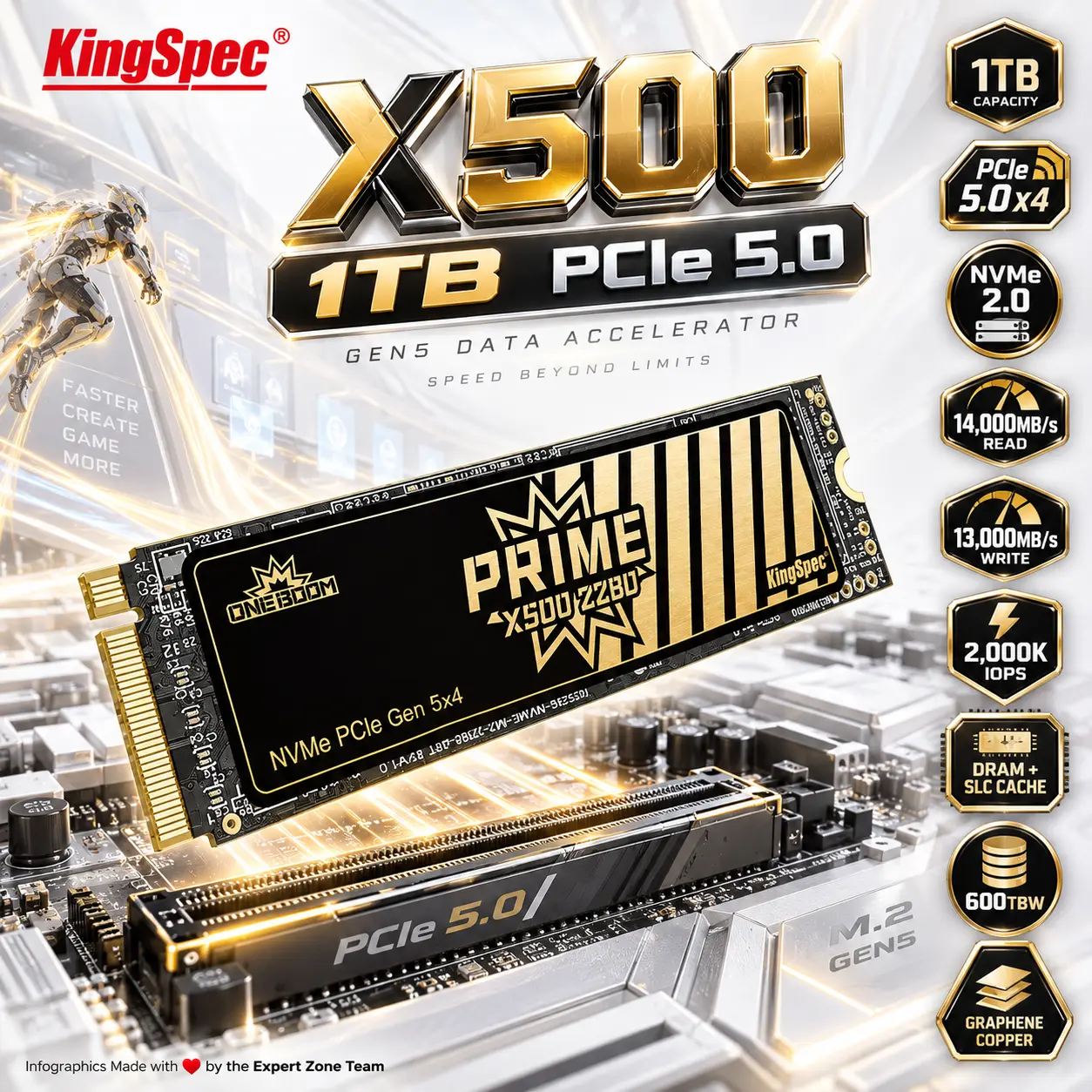
- Create an exact 2048 × 2048, perfect 1:1 square website product-profile composition for the KingSpec X500 1TB PCIe 5.0 NVMe SSD.
- Foreground: make the complete M.2 2280 SSD the largest and most prominent object, occupying approximately 64–68% of the useful canvas.
- Show it in an extreme-detail three-quarter macro angle, clearly revealing the PCB, KingSpec X500 branding, NAND packages, DRAM area, controller region, graphene-copper thermal layer, and gold M-key connector.
- Midground: position the drive immediately above a premium motherboard PCIe Gen5 M.2 slot, communicating its natural installation position.
- Align technical icons horizontally along the right side.
Product Presentation
- Use official KingSpec X500 imagery as the strict physical reference.
- Preserve the exact M.2 2280 proportions, component layout, branding, PCB geometry, and thin 80 × 22 × 2.1mm profile.
- Place the KingSpec logo at the top-left.
- Center “X500 1TB PCIe 5.0” at the top using bold, deeply extruded 3D typography with maximum contrast.
- Do not invent a bulky heatsink, RGB lighting, cooling fan, or altered PCB.
Artistically Distinct and Detailed Background
- Create a surreal “Gen5 Data Accelerator” where the motherboard becomes a luminous high-speed data landscape and transparent file structures rush toward the SSD through glowing PCIe lanes.
- Add a small Cyberpunk-inspired data runner deep in the left-rear background, touching one luminous motherboard trace; keep the character strictly secondary.
- Maintain an overwhelmingly extreme high-luster pearlescent white environment with secondary oily-iridescent light gold.
- Use only deep opalescent conch-pearl sculptural textures and fluid high-luster iridescent oily silver.
- Use controlled caustics, dielectric refractions, and global illumination.
- Avoid graphite smog, black walls, clutter, generic gaming-room scenery, and excessive matte surfaces.
Icons — Bullet Listed
- 1TB
- PCIe 5.0 x4
- NVMe 2.0
- 14,000MB/s READ
- 13,000MB/s WRITE
- 2,000K IOPS
- DRAM + SLC CACHE
- 600TBW
- GRAPHENE COPPER
- Render every icon as a different hollow 3D esports-style freeform insignia with large, bold, ultra-readable typography.
- CRITICAL DIRECTIVE [STRICT] The Icons MUST Have different shapes depending on the specific content of the icon
Output Requirements
- Final image must be exactly 2048 × 2048 pixels, perfect 1:1 square.
- Keep the SSD, title, logo, icons, and background fully inside generous safe margins.
- Add discreetly: “Infographics Made with ❤️ by the Expert Zone Team”
Constraints
- Use only the 1TB KingSpec X500 capacity.
- Use 600TBW, not 1200TBW or 2400TBW.
- Do not show 2TB or 4TB.
- Do not invent a heatsink, RGB, active fan, or unsupported console compatibility.
- Keep PCIe Gen5 x4, NVMe 2.0, 14,000MB/s read, 13,000MB/s write, and 2,000K IOPS accurate to KingSpec’s published X500 specifications.
- Do not place the SSD on a stage or pedestal.
- NEVER make it look like a premium ad poster.
- Before producing the image, ask: “How does this image fare as a product-profile image?” Automatically correct inaccurate SSD geometry, unreadable icons, weak product prominence, clipping, or excessive background competition.