


4ZB80A
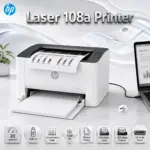
HP LASER 108W WIRELESS PRINTER A4 BLACK&WHITE/PRINT SPEED UP TO 21 ppm
HP Laser 108w Wireless Mono (BLACK & WHITE ) Laser Printer, A4, USB 2.0 & Wi-Fi, 20 ppm, 1200 dpi, 150-Sheet Input, Manual Duplex, Mobile Printing, Compact Business Design | WHITE ~ 4ZB80A
Generate An AI Image
Layout
- Create a clean, premium website product-profile composition for the HP Laser 108w Printer.
- Build the final image as an exact 2048 × 2048 pixel, perfect 1:1 square composition.
- Clearly separate the foreground, midground, and background.
- Keep the printer, HP logo, product title, icons, wireless effects, paper details, and all text fully inside the canvas with generous safe margins.
- Do not create a poster, banner, vertical layout, wide layout, cropped preview, stage-style product shot, or pedestal display.
- Do not use cheap gaming poster typography or oversized ad-poster title styling.
Product Presentation
- Use the attached raw product image as the strict visual reference.
- Show one HP Laser 108w Printer only, large and dominant in the midground.
- Preserve the compact white-and-black laser printer body, top output area, front HP badge, right-side wireless control panel, and small office-friendly proportions.
- Present it as a real post-sale business printer naturally placed on a compact desk or shop-counter surface, not on a stage.
- Place the HP logo at the top-left, fully inside safe margins.
- Center the product name “Laser 108w Printer” at the top using refined, smaller-scale, elegant 3D extruded typography with clean spacing, premium depth, and strong contrast against the background.
- prevent the Title from blending in with the background
- add a mobile phone sending printing order WiFi signals to the printer to emphasize the WiFi wireless printing feature
Artistically Distinct and Detailed Background
- Build a surreal minimal office-printing environment that visually expresses wireless document flow, clean black text output, and compact business productivity.
- Use a dominant pearlescent opaline-white background with subtle opaline-silver and very soft icy-blue accents.
- Add abstract curled reliefs, layered organic contours, and soft paper-like waves flowing around the printer.
- Use a maximum of two texture styles: conch-pearl micro-swirled surfaces and transparent dichroic-glass data ribbons.
- Keep the background luxurious, tactile, minimalistic, high-gloss, and product-friendly without blending into the printer body.
- prevent the background’s color from blending in with the printer
- Use matting strictly minimally. • Reserve matted surfaces only for adding definition and detail. • MATT is ugly. I hate it!
Icons — Numbered And Listed
- CRITICAL DIRECTIVE [STRICT] The Icons MUST Have different shapes depending on the specific content of the icon
- Align icons horizontally at the bottom with each badge fully inside safe margins.
- 20 ppm A4
- Wi-Fi Direct
- MONOCHROME PRINTING
- USB 2.0
- Mobile Printing
- 1200 dpi
- 150-Sheet Input
- HP 110A Toner
Output Requirements
- Final image must be exactly 2048 × 2048 pixels.
- Final image must have a perfect 1:1 square ratio.
- 3d extruding ultra clear icons
- prevent the icons from blending in with the background
- Use extreme high resolution throughout the product, text, icons, and background.
- Keep every element fully inside the canvas with safe margins.
Constraints
- Do not alter the product design.
- Do not show HP Laser 108a or any other printer model.
- Do not invent scanner-bed, copier, fax, color-printing, Ethernet, auto-duplex, or unsupported features.
- Do not allow the white printer to blend into the opaline background.
- Do not create a premium ad poster look.
- Avoid flat white emptiness, generic chrome, cheap plastic, excessive matte surfaces, tackiness, and clutter.